SpaceClaim Course, Session 10: Practical Fill Tool

Free

  • Hands-on training with the FILL Tool in SpaceClaim

  • DesignRemove holes, extrusions, fillets, and chamfers by extending adjacent faces

  • Patch Fill: create surfaces from closed edge loops

  • Tangent to All Sides for smooth, professional continuity

  • Guide Curves to control surface flow and bulge

  • Troubleshooting with Split Face and smart selection strategy

Click on Add To Cart and obtain the Geometry file, Mesh file, and a Comprehensive ANSYS Fluent Training Video.

To Order Your Project or benefit from a CFD consultation, contact our experts via email (info@mr-cfd.com), online support tab, or WhatsApp at +44 7443 197273.

There are some Free Products to check our service quality.
If you want the training video in another language instead of English, ask it via info@mr-cfd.com after you buy the product.

Special Offers For Single Product

Get a FREE consultation to discuss running your simulations on our high-performance computing systems
If you need the Geometry designing and Mesh generation training video for one product, you can choose this option.
editable geometry and mesh allows users to create and modify geometry and mesh to define the computational domain for simulations.
The case and data files in ANSYS Fluent store the simulation setup and results, respectively, for analysis and post-processing.
Geometry, Mesh, and CFD Simulation methodologygy explanation, result analysis and conclusion
Enhancing Your Project: Comprehensive Consultation and Optimization Services
The MR CFD certification can be a valuable addition to a student resume, and passing the interactive test can demonstrate a strong understanding of CFD simulation principles and techniques related to this product.
The journal file in ANSYS Fluent is used to record and automate simulations for repeatability and batch processing.

Description

1. Introduction

In this session, we focus on the FILL Tool in SpaceClaim to clean, repair, and complete complex geometries. You’ll learn how to remove fillets, chamfers, holes, and extruded features by extending adjacent faces. We’ll cover Patch Fill, selection strategies, and when to enable Tangent to All Sides for smooth continuity. Guide Curves will be used to control surface flow and achieve predictable, high-quality results. By the end, you’ll be able to choose the right approach for each case and execute FILL with confidence.

2. Objectives

The aim of this session is the hands-on application of the FILL Tool’s use cases. Through practical examples, you will see how to use this command to remove holes and extruded parts from your geometry.

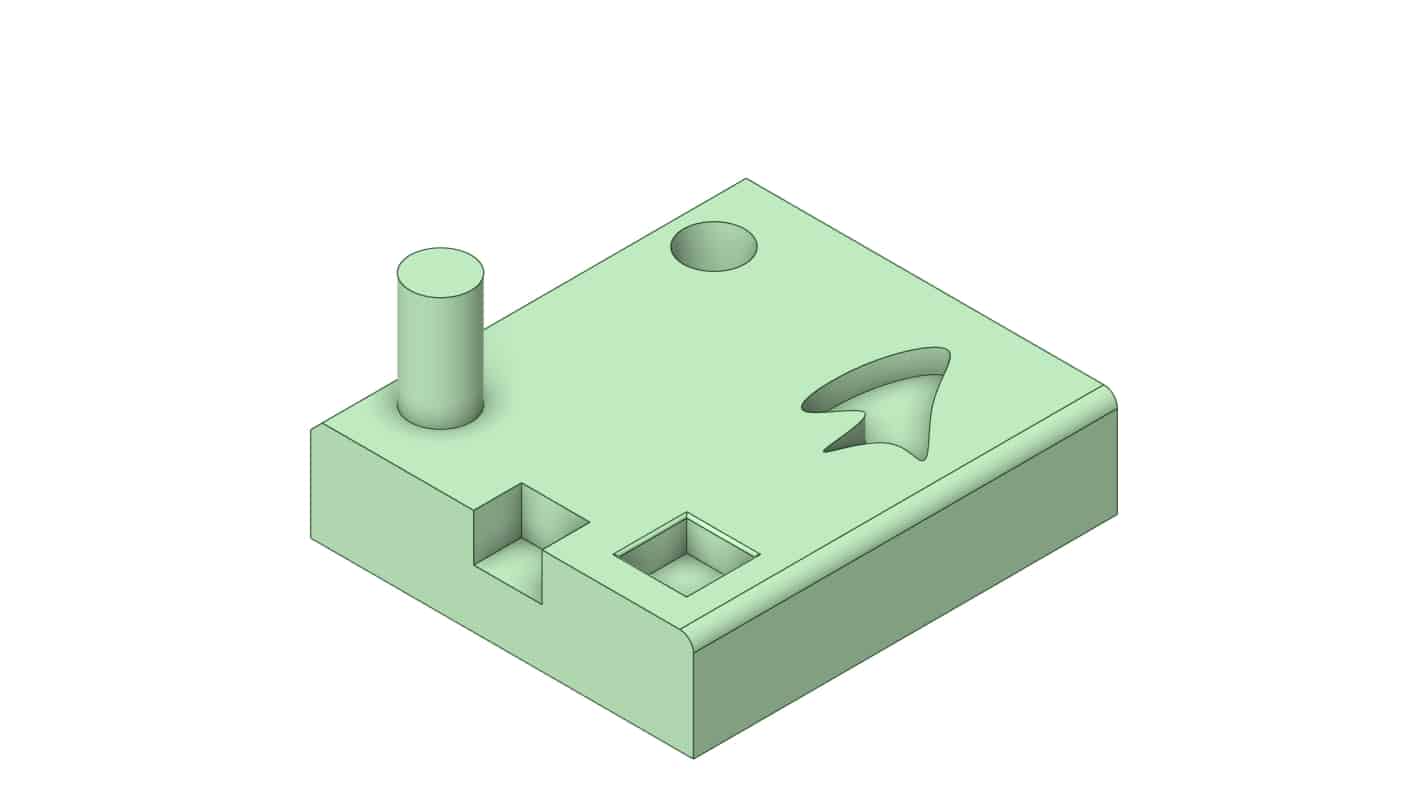
Fill Tool

In the geometry shown in the figure, we have attempted to illustrate various fillets and chamfers, as well as holes and extruded features connected to a single geometry, so that you can become more familiar with how to execute this command.

3. Challenges of Using Fill Tool

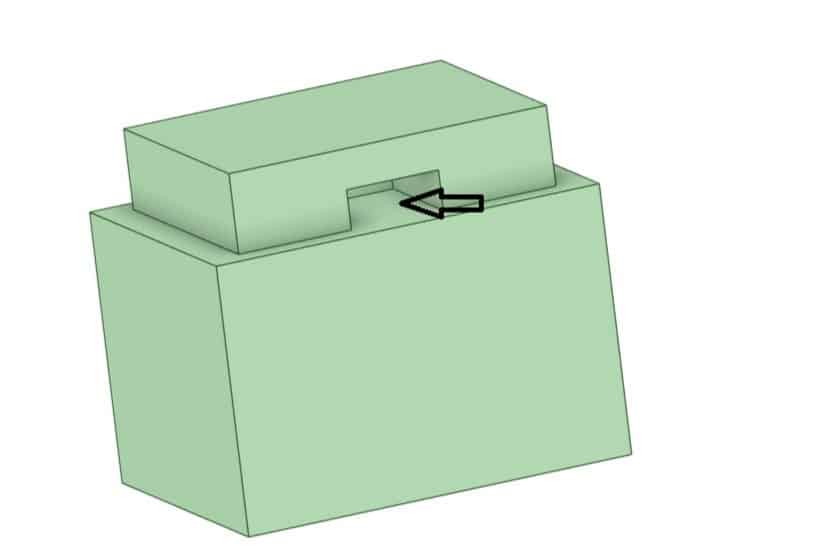
Using the FILL Tool is always accompanied by certain challenges, and in this session we address one of the most important and common ones. As explained in this tutorial, when you use this command, the software removes the selected geometry by extending the adjacent and related faces and then replaces it. In this session, examples matching the provided figures are included so that you can become familiar with these challenges and how to resolve them.

Fill

The figure above is a good example of the challenges we face when using the FILL Tool. Our issue here is the bottom face, which is not aligned with the rest of this area, and the software cannot extend the geometry in a way that removes that portion. In this session, the solution to this problem is explained.

Fill Tool

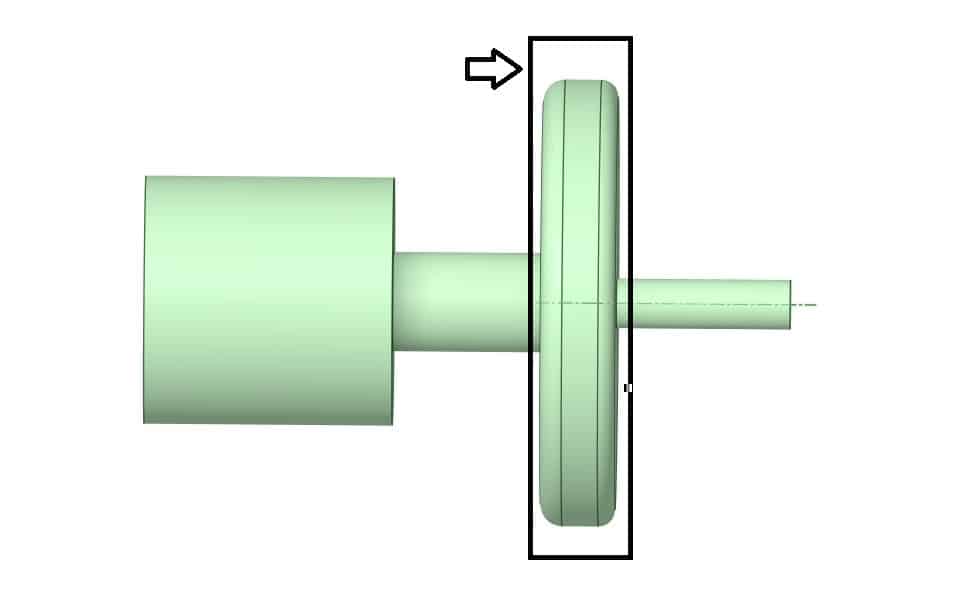
The figure above is another example of situations where we run into trouble removing geometry. As you can see, the cylindrical sections before and after the selected geometry are not the same size, and the software has difficulty removing the selected portion. The solution to this issue is also explained in this tutorial.

4. Summary


This session introduced the FILL command for removing holes, extrusions, fillets, and chamfers. We saw how SpaceClaim extends adjacent faces to eliminate the selected region and replace it with a new surface. We tackled issues like a misaligned bottom cross-section or mismatched neighboring sizes using Split Face and careful selection strategy. We also used Patch Fill, Tangent to All Sides, and Guide Curves to control smoothness and the surface flow.

Reviews

There are no reviews yet.

Leave a customer review
Back To Top
Search
Whatsapp Call On WhatsApp
Your Cart

Your cart is empty.