
SpaceClaim Course, Session 17: Measure Tools
Free
- Overview of the SpaceClaim Measure environment for inspecting geometry and physical properties of CFD-ready models.
- covering practical use of Mass Properties to read distances, areas, volumes, mass, and moments of inertia.
- covering Interference (Volumes, Curves) and Quality (Normal, Curvature, Grid, Dihedral) tools to detect overlaps, check surface quality, and ensure a clean, meshable geometry.
To Order Your Project or benefit from a CFD consultation, contact our experts via email (info@mr-cfd.com), online support tab, or WhatsApp at +44 7443 197273.
There are some Free Products to check our service quality.
If you want the training video in another language instead of English, ask it via info@mr-cfd.com after you buy the product.
Description
1. Introduction
In this session, we explore the tools in the Measure tab of SpaceClaim and see how they help us accurately evaluate model geometry. We use features such as Measure, Mass Properties, Interference, Curvature, Grid, and Dihedral to check volume, mass, interferences, and surface quality. The goal is to prepare a clean, reliable geometry for meshing and CFD analysis using the capabilities of SpaceClaim Measure.
2. Objectives
In this session of the SpaceClaim training, we will cover the capabilities of the Mass Properties, the Interference tools, and the Quality tools within the Measure tab.
2.1. Measure and Mass Properties
The Measure tool is used to read basic geometric information such as distances, angles, edge lengths, areas, and perimeters directly from your model. The Mass Properties tool calculates global properties like volume, surface area, mass, center of gravity, and moments of inertia for selected bodies. Together, they let you quickly check whether your geometry and physical properties are defined correctly before meshing and simulation.
2.2. Interference: Volumes and Curves
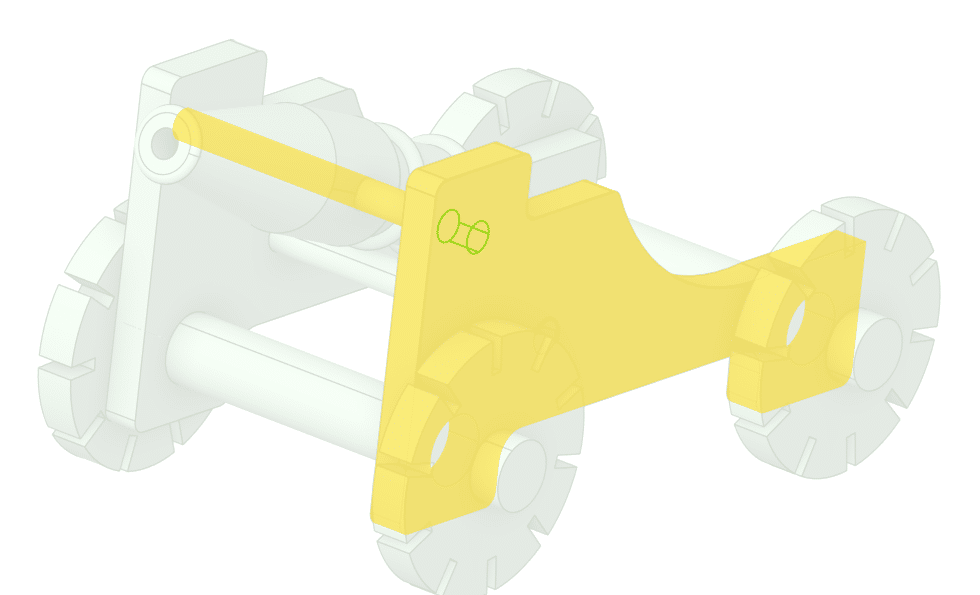
The Interference tools in SpaceClaim help you detect where solid bodies overlap in an assembly. Curves highlights the intersection edges where two or more solids penetrate each other, while Volumes finds and highlights the actual overlapping volume shared between them. You can use these tools to clean up assemblies and avoid invalid geometry before meshing and simulation.
2.3. Quality: Normal, Curvature, Grid and Dihedral
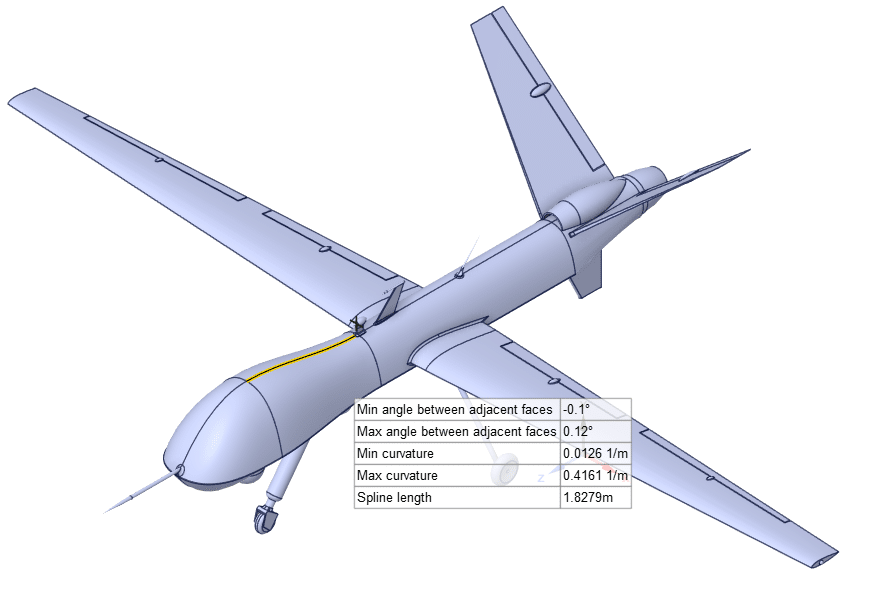
The Quality tools help you check whether surfaces are clean and suitable for meshing. Normal shows face directions to detect flipped surfaces, Curvature highlights tight radii and curvature continuity, and Grid reveals the underlying surface parameterization to spot low-quality or overcomplicated faces. Dihedral visualizes the angle between adjacent faces so you can see where they are tangent or form sharp, non-tangent edges.
3. Summary
This session shows how to use SpaceClaim Measure to read key geometric data such as distances, angles, areas, and volumes directly from your model. We use SpaceClaim Measure and Mass Properties to extract volume, mass, center of gravity, and moments of inertia for CFD ready parts and assemblies. Interference tools (Volumes, Curves) inside the SpaceClaim Measure workflow help detect overlapping bodies and fix invalid contacts before meshing. Finally, the Quality tools (Normal, Curvature, Grid, Dihedral) demonstrate how SpaceClaim Measure supports checking surface orientation, curvature, and tangency to ensure a clean, meshable geometry.
You must be logged in to post a review.
 Talk On WhatsApp
 Talk On WeChat

Reviews
There are no reviews yet.