
SpaceClaim Course | Session 4: Advanced Sketch Tools
Free
- Introduction to spaceclaim basic sketching tools (Line, Circle, Rectangle, Arc).
- Advanced sketching tools: Spline and Construction Line for complex and symmetric designs.
- Modify tools: Mirror for symmetry, Create Corner / Rounded Corner for cleaner geometry.
- Emphasis on creating accurate and efficient 2D sketches as a foundation for reliable 3D modeling.
To Order Your Project or benefit from a CFD consultation, contact our experts via email (info@mr-cfd.com), online support tab, or WhatsApp at +44 7443 197273.
There are some Free Products to check our service quality.
If you want the training video in another language instead of English, ask it via info@mr-cfd.com after you buy the product.
Description
Introduction
In this session of the SpaceClaim training course, we are going to introduce some of the most important tools in the 2D sketch environment. We will begin by getting familiar with the basic sketching tools and learning different methods for drawing fundamental shapes such as lines and circles. After that, we will move on to the Modify section to explore some of its practical tools, including Mirror, Create, and other useful features. Mastering these sketching and modifying tools is essential, as they not only make the drawing process more efficient but also improve the accuracy and overall quality of the geometries you create.
1. Basic Sketch Tools
At the beginning of the session, we focused on learning the fundamental sketching tools of spaceclaim which used for creating simple geometries. Different methods of drawing lines and circles were introduced. For circles, we practiced the default method, where the center is defined first and then the radius, as well as the three-point circle method. In addition, we learned how to draw rectangles using both the two-point and the three-point techniques.
 2. Advanced Sketch Features
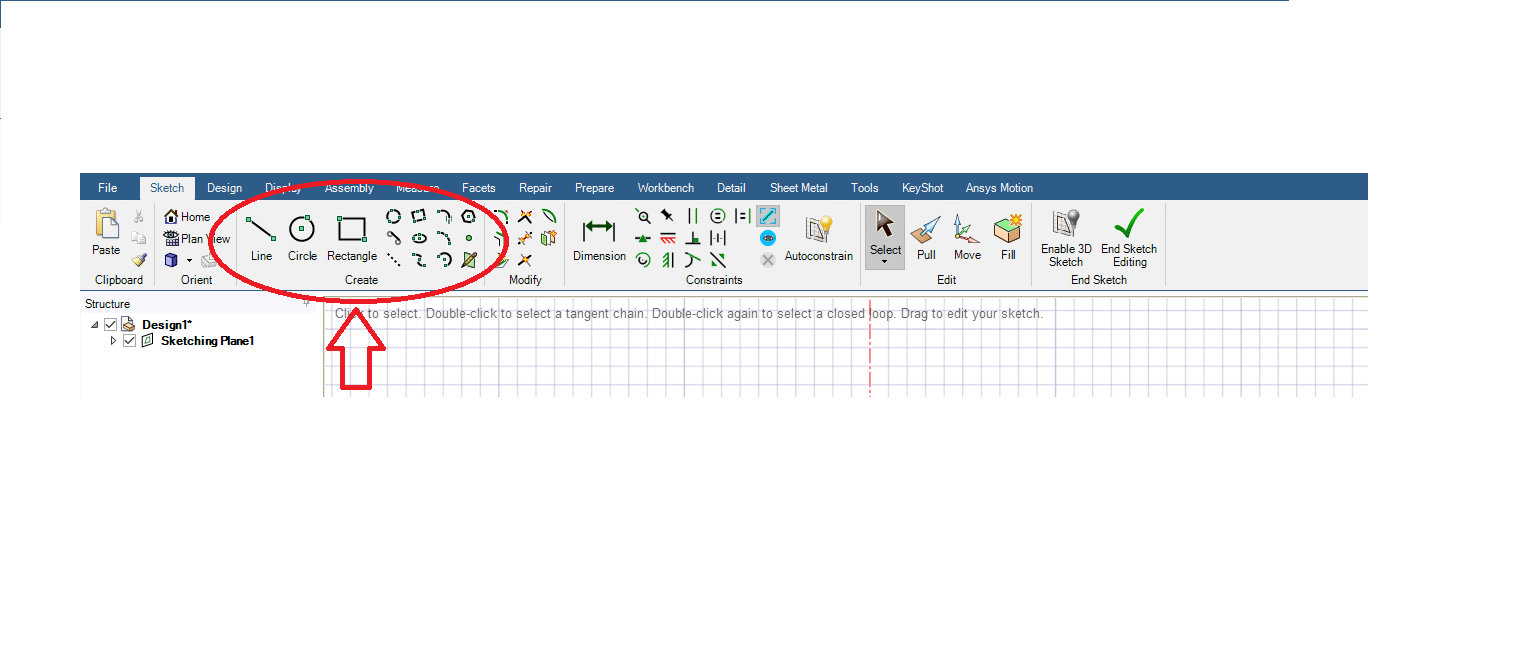
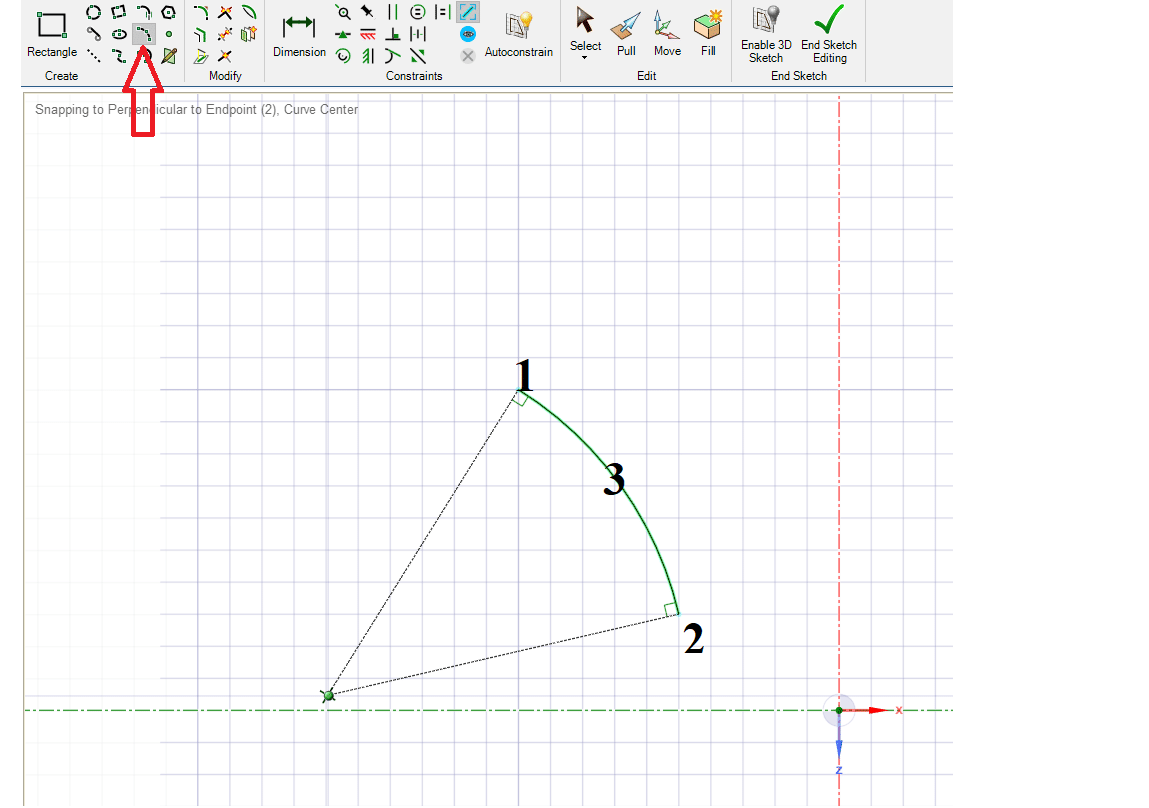
After learning the basic sketching commands of spaceclaim, we moved on to more advanced tools such as Arc, Spline, and Construction Line. The Arc tools allow us to create curves either by specifying the start and end points or by defining three points along the curve. The Spline tool is especially useful when creating complex shapes with smooth transitions, while the Construction Line provides reference geometry that helps organize sketches and maintain symmetry. Altogether, these features give designers greater flexibility and control when drawing more complex shapes, making the sketching process more versatile and efficient.
 3. Modify Tools in Sketch Mode
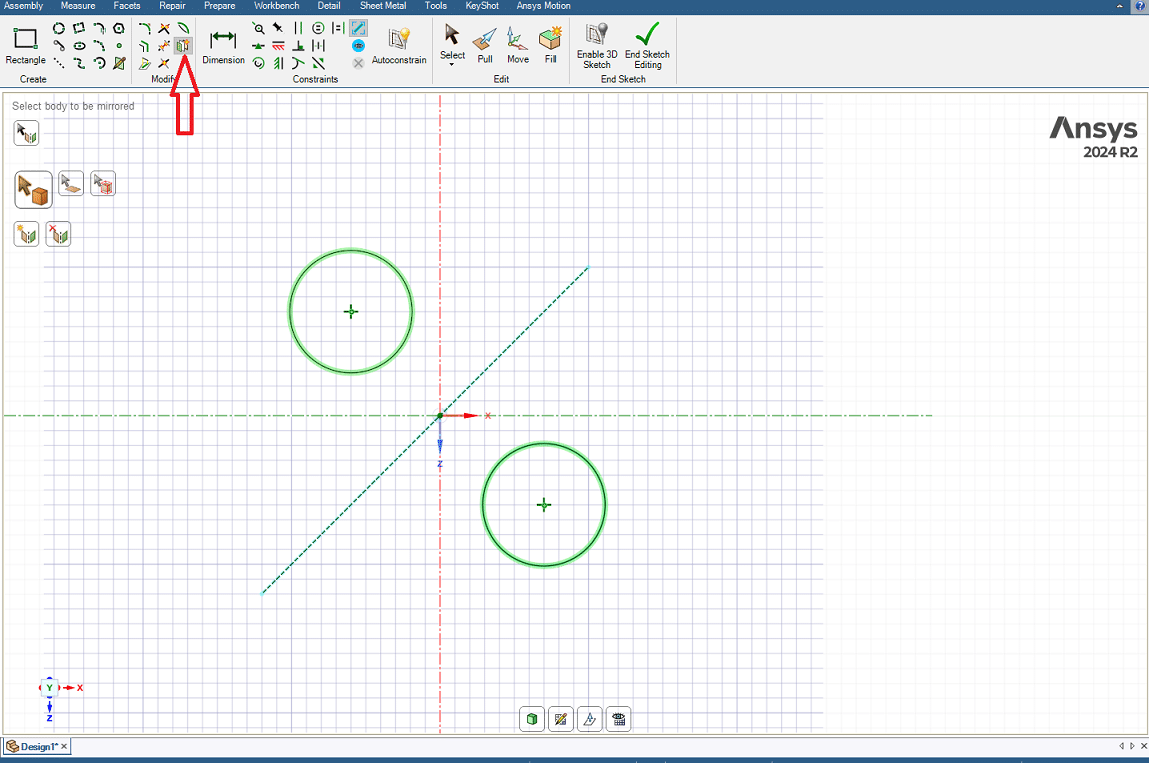
This session also covered several important tools in the Modify section, which are used to adjust and refine sketches. The Mirror tool allows selected geometries to be duplicated across a reference line, ensuring symmetry in the design. Similarly, the Create Corner and Rounded Corner tools make it easier to connect two lines, either by forming a sharp corner or by creating a smooth fillet. By using these tools, the geometry becomes cleaner and more professional, while minimizing errors that may occur in later stages of 3D modeling.
 Conclusion
The purpose of this session was to familiarize students with design tools and modification commands in order to create efficient and precise 2D models. The basic tools play a fundamental role in building accurate and reliable geometry, while the modification tools enable useful adjustments such as symmetry and other refinements. Combining these functions not only improves the quality and speed of the design workflow, but also lays the foundation for more reliable and effective 3D modeling in the future.
You must be logged in to post a review.


 Talk On WhatsApp
 Talk On WeChat

Reviews
There are no reviews yet.