
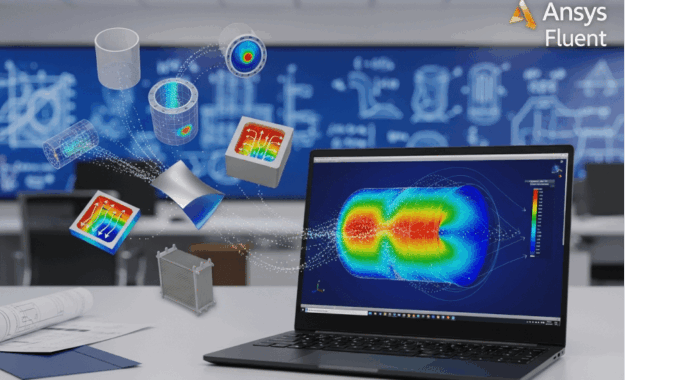
Choosing Your First CFD Project: 5 Simple Simulation Ideas That Build Real Skills
As an engineer, you’ve chosen a powerful tool, but your first steps are critical. The sheer complexity of CFD software like Ansys Fluent can be overwhelming. Many aspiring analysts crash and burn on their first attempt by choosing a project that is wildly over-ambitious, leading to frustration and cryptic error messages.
The secret to success isn’t raw intellect; it’s a smart strategy. Your first project determines your learning trajectory. That’s why I’ve designed this practical CFD learning path: a series of five carefully chosen cfd projects for beginners.
We will start with the “Hello, World!” of fluid dynamics and progressively build your skills. Each project introduces a new, fundamental concept—from laminar vortex shedding to turbulence modeling, heat transfer, external aerodynamics, and finally, a multi-domain industrial problem. By the end of this guide, you won’t just know how to click buttons; you’ll understand why you’re clicking them.
Why Does Your First CFD Project Choice Determine Your Learning Success?
Choosing your first CFD simulation is like learning to swim. You wouldn’t jump into the deep end during a storm, but you also wouldn’t be satisfied sitting in a puddle. Your first project needs to be in the “Goldilocks zone.”
An overly complex project—like simulating a full Formula 1 car or a two-phase boiling reactor—is a recipe for failure. You’ll spend weeks on geometry cleanup, fight a losing battle with meshing, and be completely lost in a sea of physics models you don’t understand. This leads to frustration and, in most cases, abandonment. You’ll conclude “CFD is too hard” when the real problem was “the project was too hard.”
On the other hand, an overly simple project, like 2D flow in a straight duct, is boring. It fails to teach you the most critical concepts. You won’t learn how to handle flow separation, validate against real data, or manage mesh quality around a feature.
The Goldilocks zone is a project that is challenging but achievable. It should:
- Have a simple, easy-to-create geometry (preferably 2D).
- Involve clear, fundamental physics (like laminar flow or basic turbulence).
- Have abundant, high-quality experimental or analytical data for validation.
- Be solvable in a reasonable time (hours, not weeks) on a standard workstation.
This first success builds momentum and confidence. It gives you a solid framework of the entire workflow—geometry, mesh, setup, solve, post-process, validate—that you will use for your entire career.
What Common Mistakes Do Beginners Make When Choosing Their First CFD Simulation?
After 15 years in this field, I see the same mistakes repeatedly. Avoid these traps:
- Choosing “Cool” Over “Correct”: Beginners are drawn to complex geometries like car engines or air-cooled turbine blades. These are terrible first projects. Consequence: You spend 90% of your time fighting CAD and meshing and 10% learning physics.
- Selecting Projects with No Validation Data: You simulate flow over a random shape you drew. The simulation converges, and you get a pretty picture. Is it right? Is it 10% off? 500% off? You have no idea. Consequence: You learn a bad habit: “If it converges, it’s correct.” This is false and professionally dangerous. Always start with a
experimental benchmark comparison. - Jumping to Transient Before Steady-State: You want to see a tank slosh or a wave break. These transient simulations are complex. Consequence: You don’t understand the fundamentals of convergence, time-step independence, or how to set up robust solver schemes, leading to solutions that either diverge or are physically meaningless.
- Ignoring Mesh Quality Fundamentals: You accept the default, automated mesh and rush to the physics setup. Consequence: You violate the core principle of CFD: Garbage In, Garbage Out (GIGO). Your results will be wrong, guaranteed. You’ll then waste days trying to fix the physics when the mesh was the problem all along.
How Do You Know If a CFD Project Is Appropriate for Your Skill Level?
Here is a practical checklist and a simple scoring matrix to help you evaluate potential first CFD project ideas.
✅ Your First Project Checklist:
- Validation Data: Is there a well-known analytical solution (e.g., Poiseuille flow) or a famous experimental benchmark (e.g., flow over a cylinder)?
- Geometry Complexity: Can this problem be simplified to 2D or 2D-Axisymmetric?
- Physics Complexity: Is it single-phase? Is the flow incompressible (Mach < 0.3)?
- Computational Cost: Can you run this on a student license (e.g., under 512k cells) and a standard laptop?
Project Suitability Matrix
(Aim for a total score of 5-7 for your first project)
| Feature | Good for Beginners (1 pt) | Intermediate (2 pts) | Advanced (3+ pts) |
| Validation | Analytical Solution / Classic Benchmark | Published CFD Paper | Limited/No Published Data |
| Geometry | 2D / 2D-Axisymmetric | Simple 3D (e.g., elbow) | Complex 3D Assembly |
| Physics | Single-Phase, Incompressible | Single-Phase, Compressible | Multiphase, FSI, Combustion |
| State | Steady-State | Simple Transient (e.g., vortex shedding) | Complex Transient / Dynamic Mesh |
| Mesh | < 500k cells | 500k – 5M cells | > 10M cells |
What Prerequisites Should You Master Before Starting Your First CFD Project?
You cannot treat Ansys Fluent as a magic black box. To get reliable results, you must have a foundational understanding of what you are asking the software to do. This means a little theory and a little software familiarity.
Which Fundamental Fluid Mechanics Concepts Are Essential for Beginner CFD Projects?
You don’t need to re-derive the Navier-Stokes equations, but you must understand this core cfd terminology:
- Conservation Laws: The solver is built to solve three equations: conservation of mass, momentum, and (if needed) energy. Your setup is just you telling Fluent how to apply these laws.
- Dimensionless Numbers: These are your guides.
- Reynolds number ($Re = \rho U D / \mu$): The single most important number. It tells you if the flow is laminar (low $Re$, smooth, predictable) or turbulent (high $Re$, chaotic, requires a turbulence model).
- Mach number ($Ma = U / c$): Tells you if the flow is incompressible ($Ma < 0.3$, density is constant) or compressible ($Ma > 0.3$, density changes). This dictates your solver choice.
- Prandtl number ($Pr = \nu / \alpha$): For heat transfer. It compares momentum diffusion to thermal diffusion.
- Flow Regimes (Laminar vs. Turbulent): This is your first major decision. If you choose a laminar model for a turbulent flow ($Re = 5,000,000$), your results will be completely wrong.
- Boundary Conditions (BCs): This is how you describe the problem to the solver. You must understand the difference between:
- Velocity Inlet: Fixes the incoming velocity.
- Pressure Outlet: Fixes the exit pressure (usually $P_{gauge} = 0$).
- Wall: A solid, no-slip boundary (fluid “sticks” to it).
- Symmetry: A plane of mirror-image flow.
What Software Skills Do You Need Before Running Your First Simulation?
Before tackling Project #1, you should be able to comfortably perform these tasks in the Ansys Workbench environment:
- Navigate the Workbench project schematic (linking Geometry -> Mesh -> Setup).
- Import or create a simple 2D geometry in SpaceClaim or DesignModeler.
- Open the Ansys Meshing tool and apply basic controls like Inflation (for boundary layers) and Body Sizing.
- Open Ansys Fluent and navigate the tree/ribbon workflow (Physics -> Materials -> Zones -> Boundaries -> Solution -> Results).
- Know where to define models (e.g., Viscous -> Laminar) and materials.
- Know how to set up boundary conditions (e.g., click
inlet, set velocity). - Understand how to initialize the solution and press “Calculate.”
- Create basic post-processing items: contour plots, vector plots, and solution monitors (e.g., drag force).
If this list looks intimidating, don’t worry. Our CFD beginner courses at MR CFD are designed to give you exactly these skills in a structured, hands-on environment.
Project #1 – How Can You Learn CFD Fundamentals Through 2D Flow Over a Cylinder?
This is the ideal first project. We start our hands-on CFD projects with the most famous benchmark in fluid dynamics. It’s a simple 2D geometry that produces incredibly rich and complex physics, and it’s backed by over a century of experimental data.
Why Is Flow Over a Cylinder Considered the “Hello World” of CFD?
It’s the “Hello, World!” because it’s a simple problem that tests every part of the CFD workflow and teaches a dozen fundamental concepts. Its complexity scales perfectly with the Reynolds number:
- $Re < 40$: Steady, attached flow. (Simple)
- $Re \approx 40-150$: Steady separation bubble.
- $Re \approx 150-300$: Unsteady, laminar vortex shedding, known as the Kármán vortex street. 🎯 This is our target!
- $Re > 300$: Turbulent wake.
This case teaches you about boundary layer separation, pressure vs. viscous drag, oscillating lift forces, and how to analyze unsteady (transient) data. The abundance of experimental benchmark comparison data (from Roshko, Williamson, etc.) means you know when you get the right answer.
What Are the Step-by-Step Setup Parameters for a Cylinder Flow Simulation?
Let’s set up the classic $Re=100$ unsteady vortex shedding case.
- Geometry: 2D. Create a cylinder with diameter $D=1$m. Place it in a rectangular domain. Domain should be 10D upstream, 20D downstream, and 10D tall (total 30D x 10D).
- Mesh: Unstructured mesh.
- Inflation: Use 15-20 inflation layers around the cylinder to capture the boundary layer. Set the first layer thickness to target $y+ \approx 1$ (even for laminar, this is good practice). Growth rate $\approx 1.2$.
- Refinement: Add a body-of-influence refinement box around the cylinder and in the downstream wake region.
- Physics:
- Solver: Pressure-Based, Transient
- Viscous Model: Laminar
- Material Properties (to get $Re=100$): Density $\rho = 1$ kg/m³, Viscosity $\mu = 0.01$ kg/m-s.
- Boundary Conditions:
inlet: Velocity Inlet, $U = 0.1$ m/s (This gives $Re = \rho U D / \mu = 1 \cdot 0.1 \cdot 1 / 0.01 = 100$).outlet: Pressure Outlet, $P_{gauge} = 0$.cylinder: Wall (no-slip).top_and_bottom: Wall (no-slip, as specified in the prompt, to simulate a channel). Pro Tip: For unconfined flow, you’d use a Symmetry BC.
- Solution:
- Method: PISO (robust for transient).
- Time Step: $\Delta t = 0.01$s. (A good starting point).
- Run for 1000-2000 time steps to let the wake fully develop.
- Convergence: Monitor the Drag ($C_d$) and Lift ($C_l$) coefficients on the cylinder. The solution is “developed” when the $C_l$ plot shows a clear, repeating periodic oscillation.
How Do You Validate Your Cylinder Flow Results Against Experimental Data?
Validation is everything. Here’s how you do it:
- Monitor $C_d$ and $C_l$: From your developed solution, find the mean drag coefficient ($C_d$).
- Find Frequency ($f$): Look at your $C_l$ plot. Find the time period ($T$) of one full oscillation (peak-to-peak). The frequency is $f = 1/T$.
- Calculate Strouhal Number ($St$): This is the dimensionless frequency: $St = fD/U$.
- Compare:
- For $Re=100$, your $C_d$ should be $\approx 1.35 \pm 5\%$.
- For $Re=100$, your $St$ should be $\approx 0.164 \pm 5\%$.
If your numbers match, congratulations! You’ve just completed your first validated CFD methodology.
What Key CFD Concepts Does This Project Teach You?
- Mesh Quality: You’ll see firsthand that without good inflation layers and wake refinement, you’ll get the wrong $St$ or no shedding at all.
- Transient vs. Steady: You’ll learn why a steady-state solver fails to capture this physics.
- Post-Processing: You’ll learn to create force monitors, animations of vorticity, and (later) how to use FFT (Fast Fourier Transform) on the $C_l$ signal to get the frequency precisely.
- Validation: The crucial loop of Simulate -> Analyze -> Compare.
Project #2 – How Does Simulating Pipe Flow Help You Master Turbulence Modeling?
Now that you’ve mastered a laminar, transient case, we’ll switch to a steady-state but turbulent flow. This is one of the most common basic fluid dynamics simulations in industry. It’s the perfect introduction to RANS turbulence models.
Why Should Turbulent Pipe Flow Be Your Second CFD Project?
This project is the logical next step. It introduces the most common physics in industrial CFD: turbulence.
- It’s an internal flow, unlike the cylinder.
- It has a simple analytical solution. The pressure drop can be validated against the Moody Chart or Colebrook equation.
- It forces you to learn about the wall boundary layer and the crucial cfd terminology of wall functions and $y+$.
What Turbulence Model Should Beginners Use for Pipe Flow Simulations?
You’ll be faced with a long list: $k-\epsilon$, $k-\omega$, RSM, etc. Here’s the practical choice:
- $k-\epsilon$ (k-epsilon): The original workhorse. It’s robust and great for fully turbulent flows away from walls. It’s designed to be used with wall functions.
- $k-\omega$ SST (k-omega SST): The modern standard. It’s a blend that acts like $k-\omega$ near the wall (very accurate) and $k-\epsilon$ in the far-field. It can either resolve the boundary layer ($y+ < 1$) or use wall functions ($y+ > 30$).
My Recommendation: Start with the $k-\epsilon$ Realizable model with Standard Wall Functions. Why? It forces you to learn $y+$. Wall functions “bridge” the gap between the wall and the turbulent core, saving you immense computational cost. To use them, your first mesh cell must be in the log-law region, which means $30 < y+ < 300$.
How Do You Set Up a Turbulent Pipe Flow Case in Ansys Fluent?
Let’s aim for $Re = 50,000$.
- Geometry: 3D pipe. $D=0.1$m. Length $L=50D = 5$m (this ensures the flow is “fully developed”). Pro Tip: You can also do this in 2D Axisymmetric, which is much faster!
- Mesh: Use a hexahedral (swept) mesh.
- Apply inflation layers on the pipe wall.
- $y+$ Calculation: You must target $y+ > 30$. Use an online $y+$ calculator to estimate your first cell height. For $Re=50,000$, a first cell height of $\approx 0.5$mm will land you in the right range.
- Physics:
- Solver: Pressure-Based, Steady-State
- Viscous Model: $k-\epsilon$ Realizable, Standard Wall Functions
- Material: Water ($\rho \approx 998$ kg/m³, $\mu \approx 0.001$ kg/m-s)
- Boundary Conditions:
inlet: Velocity Inlet. $U = (Re \cdot \mu) / (\rho \cdot D) = (50000 \cdot 0.001) / (998 \cdot 0.1) \approx 0.5$ m/s. Set Turbulence Method to “Intensity and Hydraulic Diameter” (I=5%, D=0.1m).outlet: Pressure Outlet, $P_{gauge} = 0$.pipe_wall: Wall (no-slip).
- Solution:
- Method: Coupled. Discretization: 2nd Order Upwind for all.
- Monitor the total pressure drop $\Delta P$ from inlet to outlet.
What Are the Critical Post-Processing Checks for Pipe Flow Validation?
- Check $y+$: First thing! Plot a contour of $y+$ on the pipe wall. Is the value between 30 and 300? If yes, your wall functions are valid. If not, you must re-mesh.
- Check Velocity Profile: Plot velocity vs. radial position at $x=40D$ and $x=50D$. Are the profiles identical? If yes, your flow is fully developed.
- Validate Friction Factor: Calculate the Fanning friction factor, $f = (\Delta P / L) \cdot (2D / \rho U^2)$.
- Compare to Moody Chart: For $Re=50,000$ and a smooth pipe, the Moody chart gives $f \approx 0.021$. If your $f$ is close, you’ve successfully modeled turbulence.
- Perform a
best practices in mesh independence study: Refine your mesh (e.g., 20 cells across the radius, then 30, then 40) and prove that your calculated $\Delta P$ stops changing.
Project #3 – How Can Natural Convection in a Cavity Teach You Heat Transfer CFD?
You’ve handled flow (laminar and turbulent). Now let’s add heat. This project couples the momentum and energy equations. We’ll simulate a 2D cavity with a hot wall and a cold wall, letting buoyancy do all the work.
What Makes the Heated Cavity Problem Ideal for Learning Thermal CFD?
This is the classic benchmark for natural convection.
- It’s a simple 2D square geometry.
- It introduces buoyancy-driven flow. The fluid moves only because of density changes from temperature.
- It teaches you the Boussinesq approximation, a key piece of cfd terminology that simplifies buoyancy.
- It introduces the key dimensionless numbers for heat transfer: Rayleigh number ($Ra$) and Nusselt number ($Nu$).
- It has extensive, high-quality benchmark data from de Vahl Davis (1983).
How Do You Configure Buoyancy and Energy Models in Ansys Fluent?
This is a new part of the setup tree.
- Enable Energy: Go to
Models -> Energyand turn it On. - Enable Gravity: Go to
Physics -> Operating Conditionsand checkGravity. Set the magnitude (e.g., 9.81 m/s²) and direction (e.g., -Y). - Enable Boussinesq:
- Go to
Materials -> fluid -> air. - Change
Densityfromconstanttoboussinesq. - Set
Operating Temperature ($T_{ref}$)to the average of your hot and cold walls. E.g., if $T_{hot}=310$K and $T_{cold}=300$K, set $T_{ref}=305$K. - Set
Thermal Expansion Coefficient ($\beta$). For an ideal gas like air, $\beta = 1/T_{ref}$. So, $\beta = 1/305 \approx 0.00328$ 1/K.
- Go to
- Pro Tip: The Boussinesq approximation is valid as long as the temperature difference is small ($|\Delta T / T_{ref}| < 0.1$).
What Boundary Conditions and Mesh Strategy Work Best for Natural Convection?
Let’s set up a $Ra = 10^5$ case.
- Geometry: 2D square, 1m x 1m.
- Mesh: A uniform, structured quadrilateral mesh is perfect for this. You need to resolve the thermal boundary layers, so make sure your mesh is fine near all four walls. A $100 \times 100$ mesh is a good starting point.
- Physics:
- Viscous Model: Laminar (flow is laminar for $Ra < 10^8$).
- Material: Air (or a fluid with $Pr=0.71$).
- You must set all material properties ($c_p$, $k$, $\mu$) to be constant. You will adjust $\mu$ or $\beta$ to hit your target $Ra$ number: $Ra = (g \beta \Delta T L^3) / (\nu \alpha)$.
- Boundary Conditions:
left_wall: Wall, Temperature = $T_{hot}$ (e.g., 310K).right_wall: Wall, Temperature = $T_{cold}$ (e.g., 300K).top_wall: Wall, Adiabatic (Heat Flux = 0).bottom_wall: Wall, Adiabatic (Heat Flux = 0).
How Do You Validate Natural Convection Results Using Benchmark Data?
The key validation metric is the average Nusselt number ($Nu$) on the hot wall, which represents the ratio of convective to conductive heat transfer.
- In Fluent, go to
Reports -> Surface Integrals. - Select
Wall Fluxes -> Nusselt Numberon theleft_wall. - Compare your value to the de Vahl Davis (1983) benchmarks.
Here are the gold-standard values to aim for:
| Rayleigh Number ($Ra$) | Average Nusselt Number ($Nu_{avg}$) |
| :— | :— |
| $10^3$ | 1.118 |
| $10^4$ | 2.243 |
| $10^5$ | 4.519 |
| $10^6$ | 8.800 |
You can also validate by plotting velocity and temperature profiles along the horizontal and vertical centerlines of the cavity and comparing them to the paper’s graphs.
Project #4 – Why Is Airfoil Flow Simulation Essential for Understanding External Aerodynamics?
We now return to external aerodynamics, but with a more complex, practical geometry than the cylinder. Simulating a 2D airfoil (like a NACA 0012) is the cornerstone of aerospace engineering and teaches you how to handle curved geometries and analyze lift and drag.
What CFD Skills Does an Airfoil Simulation Develop?
This project is a significant step up in meshing and model selection.
- Advanced Meshing: You’ll learn how to create a high-quality mesh around a slender, curved body. This is far trickier than a cylinder.
- Angle of Attack (AoA): You’ll learn how to simulate different angles of attack by not rotating the geometry, but by splitting your inlet velocity into U.x and U.y components.
- Turbulence Model Selection: This is where the $k-\omega$ SST model shines. You’ll learn why it’s the industry standard over $k-\epsilon$ for external aerodynamics.
- Force Coefficient Analysis: You’ll generate $C_l$ vs. $\alpha$ (lift curve) and $C_d$ vs. $\alpha$ (drag polar) plots, the most fundamental graphs in aerodynamics.
- Flow Visualization: You’ll learn to spot flow separation and predict stall.
How Do You Create a Quality Mesh Around an Airfoil?
This is the most critical part of this project. A bad mesh will give a completely wrong stall angle.
- Domain: A C-grid domain is ideal. It should extend 15-20 chord lengths (c) upstream and 20-30c downstream to capture the wake.
- Meshing Strategy: A structured C-grid is the gold standard but very difficult to create. A more practical approach is a hybrid mesh:
- Create 20-30 layers of high-quality inflation around the airfoil.
- This is non-negotiable: To use $k-\omega$ SST correctly, you must resolve the viscous sublayer. This means $y+ < 1$.
- Set the inflation growth rate to $\le 1.2$.
- Create a dense “wake” refinement box behind the trailing edge.
- Fill the rest of the C-domain with an unstructured (or structured) mesh.
- Mesh Quality: Your mesh will be bad at the sharp trailing edge. You must refine it heavily. Pay close attention to orthogonality (should be > 0.15) and aspect ratio (can be high in the boundary layer, but < 100).
What Solver Settings Optimize Airfoil Flow Simulations?
Let’s set up a NACA 0012 airfoil at $Re = 3 \times 10^6$ (a common wind tunnel case).
- Physics:
- Solver: Pressure-Based, Steady-State.
- Viscous Model: $k-\omega$ SST. Why? It correctly blends $k-\omega$ (best for near-wall and boundary layers) with $k-\epsilon$ (best for the far-field). It is far superior to $k-\epsilon$ for flows with adverse pressure gradients (i.e., flow separation), which is exactly what happens on an airfoil.
- Material: Air (use Ideal Gas, as speeds can be high).
- Solver:
- Method: Coupled.
- Pro Tip: Use the Pseudo-Transient option. It’s a robust method that helps difficult simulations (like high-AoA aero) converge much more reliably.
- Discretization: 2nd Order Upwind for all.
- Convergence: Do not trust residuals alone. Create monitors for $C_l$ and $C_d$. Your solution is only converged when these force coefficients are perfectly flat (e.g., < 0.1% variation over 100 iterations).
How Do You Compare Your Airfoil Results with Experimental Data?
This is the fun part!
- Data Source: The “bible” is Theory of Wing Sections by Abbott and von Doenhoff. Find the experimental data for the NACA 0012.
- Create a Lift Curve: Run your simulation for multiple Angles of Attack ($\alpha = 0^\circ, 2^\circ, 4^\circ, 6^\circ, 8^\circ, 10^\circ, 12^\circ, 14^\circ$).
- Plot Your Data: Create a plot of your calculated $C_l$ vs. $\alpha$ and overlay it on the experimental data.
- Analyze:
- How well does your lift slope match?
- What stall angle ($\alpha$ where $C_l$ peaks) does your simulation predict?
- How well does your $C_d$ data match the experimental drag polar?
- At a specific $\alpha$, plot the Pressure Coefficient ($C_p$) distribution on the airfoil surface and compare its shape to the experimental plot.
Project #5 – How Does a Simple Heat Exchanger Simulation Prepare You for Industrial CFD?
This is your “capstone” project. It combines everything you’ve learned: internal flow (Project 2), turbulence (Project 2), heat transfer (Project 3), and multi-domain setup. This is a true engineering case study validation that bridges the gap from academic problems to real industrial applications.
Why Should Beginners Tackle a Heat Exchanger as Their Fifth Project?
This project is the perfect culmination of your learning.
- It introduces Conjugate Heat Transfer (CHT), the simulation of heat transfer between solid and fluid zones.
- It’s a multi-domain problem (hot fluid, solid wall, cold fluid), which is common in industry.
- It teaches you practical engineering post-processing: calculating heat transfer rate ($Q$), effectiveness ($\epsilon$), and pressure drop ($\Delta P$).
- It builds confidence for tackling complex industrial CFD learning projects.
What Simplified Heat Exchanger Geometry Is Appropriate for Beginners?
Don’t start with a full shell-and-tube. Start with the simplest design: a counter-flow tube-in-tube heat exchanger.
- Geometry: One small pipe (for hot fluid) running concentrically inside a larger pipe (for cold fluid).
- Simplification: This geometry is perfectly symmetrical around its axis. This means you can—and should—model it as a 2D Axisymmetric problem. This reduces a 10-million cell 3D problem to a 100k cell 2D problem that solves in minutes.
How Do You Set Up Conjugate Heat Transfer Between Fluid and Solid Domains?
This is a new workflow, but it’s straightforward.
- Geometry: In your 2D sketch, you must create three separate surface bodies:
fluid_hot,solid_wall, andfluid_cold. - Meshing: Create a conformal mesh. This is critical. The nodes on the interface between
fluid_hotandsolid_wallmust perfectly match the nodes on the other side. The mesher will do this automatically if the topology is shared. - Cell Zones: Fluent will import three zones. Set their types:
fluid_hot(fluid),solid_wall(solid),fluid_cold(fluid). - Interfaces: Fluent automatically creates “coupled” wall boundaries. For example, you’ll have a
wallfor the hot fluid and awallfor the inner solid. Fluent pairs these using aCoupledthermal setting. - Physics: Enable the Energy equation and the $k-\epsilon$ turbulence model.
- Materials: Define properties for all three zones (e.g., Water, Aluminum, Water).
- Boundary Conditions:
hot_inlet: Mass Flow Inlet, $T_{hot}$cold_inlet: Mass Flow Inlet, $T_{cold}$hot_outlet: Pressure Outletcold_outlet: Pressure Outlet
What Engineering Parameters Should You Extract from Heat Exchanger Simulations?
Your “answer” is not a picture; it’s a set of performance metrics.
- Heat Transfer Rate ($Q$): Calculate this two ways. They must be equal (this is your first check, called a “heat balance”).
- $Q_{hot} = \dot{m}_{hot} \cdot c_p \cdot (T_{in,hot} – T_{out,hot})$
- $Q_{cold} = \dot{m}_{cold} \cdot c_p \cdot (T_{out,cold} – T_{in,cold})$
- Effectiveness ($\epsilon$): This is the most important metric. It’s the ratio of actual heat transfer to the maximum possible heat transfer.
- $\epsilon = Q_{actual} / Q_{max}$
- $Q_{max} = C_{min} \cdot (T_{in,hot} – T_{in,cold})$, where $C_{min}$ is the smaller of $\dot{m}_{hot} c_p$ and $\dot{m}_{cold} c_p$.
- Pressure Drop ($\Delta P$): Calculate the $\Delta P$ for both the hot and cold streams. This tells you your “pumping cost.”
- Validation: Compare your calculated effectiveness ($\epsilon$) to the analytical $\epsilon$-NTU method for a counter-flow heat exchanger. Textbooks are full of these equations.
How Do You Progress from These Beginner Projects to Advanced CFD Simulations?
Congratulations! By completing these five projects, you have built a rock-solid foundation in CFD. You’ve mastered the complete workflow and validated your results for laminar, turbulent, thermal, and external-aero problems. You are no longer a beginner.
The natural next step is to specialize. The world of CFD is vast, but it’s built on the fundamentals you now possess.
What Advanced Topics Should You Learn After Mastering Beginner Projects?
Now you can start tackling the “complex” projects that new users mistakenly try first.
- Multiphase Flows:
- Volume of Fluid (VOF): For free-surface flows (e.g., dam breaks, ship hulls, tank sloshing).
- Discrete Phase Model (DPM): For tracking particles, droplets, or bubbles (e.g., spray nozzles, cyclone separators).
- Transient and Dynamic Mesh:
- Sliding Mesh: For rotating machinery (e.g., pumps, fans, turbines).
- Overset Mesh: For complex, large-scale motion (e.g., store separation from an aircraft, valve opening/closing).
- Combustion and Reacting Flows: Simulating flames, chemical reactions, and species transport.
- Fluid-Structure Interaction (FSI): Coupling Fluent with Ansys Mechanical to simulate how fluid flow deforms a solid, and how that deformation, in turn, changes the flow (e.g., a fluttering wing).
At MR CFD, our computational fluid dynamics training is built on this exact progression. Our advanced masterclasses are designed to take the fundamentals you just learned and apply them to these complex industrial challenges, from UDF programming for FSI to advanced combustion modeling.
How Can MR CFD’s Structured Training Accelerate Your CFD Learning Journey?
You’ve just completed a 6-8 week self-study path. You’ve probably run into dozens of issues, spent hours troubleshooting, and still have questions. This is normal.
A structured Ansys fluent course accelerates this process exponentially.
- Beginner Courses: We guide you through these exact five projects, but with expert-led videos, pre-built geometries, and validation data. We show you the why behind every click.
- Intermediate Courses: We offer deep dives into specific physics, like our dedicated masterclasses on Multiphase Flow or Heat Transfer.
- Advanced Masterclasses: Learn expert-level topics like UDF programming, DEM, or FSI from industry veterans.
- Access to Experts: When your simulation doesn’t converge, you’re not alone. You can ask instructors who have solved that exact problem hundreds of times.
Self-learning builds character. Guided learning builds skills, faster.
What Resources and Communities Support Ongoing CFD Skill Development?
Your learning is never “done.” Stay sharp by engaging with the community:
- Ansys Learning Hub: Ansys’s official repository of tutorials and documentation.
- MR CFD’s Tutorial Library: We are constantly publishing new, advanced tutorials on our blog.
- Academic Journals: For validation data, Journal of Fluid Mechanics and International Journal of Heat and Mass Transfer are classics.
- CFD Online: The oldest and largest community forum for CFD analysts. A great place to ask questions and see others’ problems.
- Benchmark Databases: Look up ERCOFTAC, NPARC, and NASA’s Turbulence Modeling Resource for high-quality validation cases.
What Are the Most Common Pitfalls Beginners Face in These CFD Projects?
I want to save you some of the headaches I had when I started. Across all five of these projects, you will run into these three problems. Here’s how to fix them.
How Do Mesh Quality Issues Sabotage Beginner CFD Simulations?
80% of all CFD errors are mesh errors. A beautiful physics setup on a bad mesh will give you garbage. Period.
- The $y+$ Problem: This is the #1 mistake. You use a wall-function model (like $k-\epsilon$) but your $y+$ is < 30. Or, you use a wall-resolving model (like $k-\omega$ SST) but your $y+$ is > 5. Both are wrong. Solution: Always check your $y+$ plot first in post-processing. Re-mesh until it’s correct.
- High Skewness: Cells that are highly distorted (skewness > 0.85) will cause your solution to diverge. Solution: Check your mesh quality metrics before solving. Use the mesher’s tools to find and fix bad cells.
- Poor Growth Rate: You have a tiny inflation layer and then one giant cell next to it (growth rate > 1.3). This numerical “cliff” creates errors. Solution: Set your inflation layer growth rate to 1.2 or less for a smooth transition.
Why Do Convergence Problems Occur and How Can You Resolve Them?
Your residuals are flat-lined at $10^{-2}$ and won’t go down. Or, you get the dreaded “floating-point exception” error.
- Cause 1: Bad Mesh. (See above). Fix the mesh.
- Cause 2: Bad BCs. You set a velocity inlet and a velocity outlet. The problem is over-constrained (how can you guarantee mass conservation?). Solution: Check your BCs. A velocity inlet and a pressure outlet is the most stable combination.
- Cause 3: Aggressive Solver Settings. Your under-relaxation factors are too high (for SIMPLE) or your time step is too large (for transient). Solution: Reduce them. For steady-state, try the Coupled solver with Pseudo-Transient. It’s magic for convergence.
- Cause 4: Bad Initialization. You started a complex flow from $U=0$. Solution: Use Hybrid Initialization. It solves a simplified version of the equations to give you a much better starting point.
What Post-Processing Mistakes Lead to Incorrect Conclusions?
You got a converged solution and a pretty picture. You are not done.
- The #1 Sin: No Mesh Independence Study. You present results from one mesh. How do you know they’re right? You don’t. Solution: You must run a
mesh independence study. Solve on a coarse, medium, and fine mesh. Plot your key result (e.g., $C_l$) vs. cell count. When the result stops changing, you are “mesh independent.” - Ignoring Residuals: You say “it’s converged” because the picture looks stable, but your energy residual is at $10^{-2}$. Solution: Your solution is not converged. Your heat balance will be wrong. Residuals must be low (e.g., $10^{-4}$ for flow, $10^{-6}$ for energy).
- Wrong Reference Values: Your $C_d$ is 2500. This is because your reference area or velocity is wrong in the report definition. Solution: Double-check your reference values.
- Transient Timing: For the cylinder, you report $C_d$ from the first 10 time steps. Solution: This is wrong. You must let the simulation run until the vortex shedding is fully developed and periodic, then average the result.
How Long Should Each Beginner Project Take to Complete?
This is a common question. Beginners often underestimate the time required, not for the solving, but for the thinking, meshing, and validation.
What Is a Realistic Timeline for Completing All Five Projects?
Here are my estimates for a dedicated beginner, including setup, meshing, solving, post-processing, and validation.
- Project 1 (Cylinder): 8-12 hours. (Your first project is always the longest. Learning the interface, transient setup, and FFT takes time).
- Project 2 (Pipe): 6-8 hours. (Faster. Builds on P1. Main new skill is $y+$ and turbulence setup).
- Project 3 (Cavity): 8-10 hours. (New physics setup, Boussinesq, and comparing to benchmark tables).
- Project 4 (Airfoil): 10-15 hours. (Meshing will take 50% of this time. Running the $\alpha$-sweep also takes time).
- Project 5 (Heat Exchanger): 10-12 hours. (CHT setup, conformal meshing, and $\epsilon$-NTU validation are the new skills).
Total: This is a 42-57 hour learning path. If you dedicate 5-10 hours per week, you can complete this entire computational fluid dynamics training in 6-8 weeks. The goal is learning, not speed.
How Can You Optimize Your Learning Time Without Sacrificing Understanding?
- Don’t get stuck. If you spend 4 hours on a mesh and it’s still failing, take a break. Use a provided mesh (many are online for these benchmarks) to learn the physics side, then come back to the mesh later.
- Batch your runs. For the airfoil project, set up all 10 angles of attack in a batch and let them run overnight.
- Take meticulous notes. Create a text file for every project. Write down your $Re$, $y+$, mesh size, solver settings, and final $C_l$ or $Nu$. You will thank yourself later.
- Join a community. Post your validation plots on a forum (like CFD Online or MR CFD’s) and ask for feedback.
What Hardware and Software Requirements Do These Beginner Projects Have?
Good news: you do not need a supercomputer for these beginner CFD simulation projects.
What Computer Specifications Are Needed to Run These CFD Simulations?
- Minimum: A 4-core CPU (any Intel i5 or Ryzen 5 from the last 5 years), 8GB of RAM, and any graphics card. You can do these projects, but solves will be slow (e.g., 30-60 minutes).
- Recommended: An 8+ core CPU (Intel i7/i9, Ryzen 7/9), 32GB of RAM, and a basic NVIDIA GPU. RAM is the most important spec. A 500k cell mesh will use ~2-4GB of RAM, so 16-32GB gives you plenty of room. On this setup, most of these 2D cases will solve in 5-15 minutes.
Should Beginners Use Cloud HPC Resources or Local Workstations?
Use your local workstation. 100%.
As a beginner, you will spend 95% of your time in setup, meshing, and post-processing. You will spend 5% of your time actually “solving.” You need to iterate fast. The feedback loop of “change mesh, solve 5 min, check $y+$, change mesh again” is crucial.
Cloud/HPC resources are for when your mesh is 50+ million cells and solves take 3 days. We offer these CFD simulation services, but they are massive overkill for learning.
What Ansys Fluent License Options Are Available for Students and Beginners?
- Ansys Student Version: This is the best place to start. It’s free and fully featured. The only limitation is mesh size. The prompt-specified limit is 512,000 cells/elements.
- Can you do these 5 projects? Yes, easily. All 2D/Axisymmetric cases (1, 3, 5, and optionally 2) will be well under 200k cells for a good mesh. The 2D Airfoil (Project 4) can be done very well with a 400k cell mesh. The 3D Pipe (Project 2) can also be meshed under 500k cells.
- Academic Licenses: If you are at a university, you have access to full academic licenses with much higher cell count limits.
- MR CFD Courses: Many of our Cfd courses provide access to the software as part of the training package.
Frequently Asked Questions
Here are some common questions I get from engineers just starting their CFD journey.
Can I learn CFD without a strong mathematics background?
Yes. You need to understand the physics (fluid mechanics) far more than the advanced math. The software solves the complex calculus (the Navier-Stokes equations). Your job is to understand the concepts: What is a Reynolds number? What is a boundary layer? What is turbulence? If you understand the physics, you can use the tool. Our Ansys fluent course explains the necessary concepts in a practical, engineering context.
How accurate will my first CFD simulations be?
Honestly? Your first attempt at the cylinder flow might be 20% off the benchmark. You’ll forget a mesh refinement, use the wrong time step, or pull the $C_d$ value before the flow is developed. This is normal. That’s why we use projects with validation data. It’s a scoreboard. These five projects are designed to take you from that 20% error range down to <5% by building industry-standard simulation practices.
Should I learn 2D simulations before moving to 3D?
Absolutely. Yes. 100%. 2D simulations are not “easier” in terms of physics, they are just faster. A 2D simulation that solves in 5 minutes gives you instant feedback on your setup. The equivalent 3D simulation might take 5 hours. You can learn 10x faster by mastering 2D first. Four of the five projects here (1, 3, 4, 5) are 2D or 2D-axisymmetric.
What’s the difference between learning CFD through projects versus taking a structured course?
Projects give you application. Courses give you foundation. If you only do projects, you’ll have gaps in your knowledge—the “unknown unknowns.” If you only take courses, you’ll have theory but no hands-on skill. The best approach is to combine them. A great Cfd course, like those we offer at MR CFD, will use projects like these as the curriculum, giving you both the structured theory and the practical application.
How do I know if my CFD results are correct without experimental data?
This is the million-dollar question in industry. Since you don’t always have a benchmark, you build a “hierarchy of validation”:
- Mesh Independence: This is non-negotiable.
- Analytical Solutions: Check against simplified hand calculations (e.g., $\Delta P = f(L/D)(\rho U^2/2)$).
- Physical Sanity: Does the flow go the right way? Does hot fluid cool down? Are your $C_l$ and $C_d$ values physically reasonable (e.g., $C_d$ is not 50)?
- Benchmark Computational Studies: Find a published CFD paper on a similar problem and compare your methodology and results.
Can I use free CFD software instead of Ansys Fluent for these projects?
Yes. The physics is universal. You can complete all five of these projects in OpenFOAM or SU2. The difference is the workflow, support, and learning curve. Ansys Fluent is the industry standard for a reason: its integrated Workbench, powerful meshing tools, and robust solver are streamlined and exceptionally well-documented. Learning on the free Ansys Student license is the best way to build skills that are directly transferable to 90% of the CFD jobs in the market.
What should I do if my simulation doesn’t converge?
Don’t just hit “Calculate” again. Be a detective.
- 90% of the time, it’s your MESH. Check quality (skewness, orthogonality).
- 9% of the time, it’s your SETUP. Check boundary conditions (e.g., no velocity inlet and velocity outlet).
- 1% of the time, it’s your SOLVER. Reduce under-relaxation factors, or switch to the Coupled Pseudo-Transient solver for robustness.
If you’re truly stuck, our CFD simulation service team at MR CFD helps companies troubleshoot complex convergence issues every day.
How important is mesh quality compared to choosing the right turbulence model?
Mesh quality is 10x more important.
A perfect, advanced turbulence model on a bad mesh will give you garbage.
A simple, basic turbulence model (like $k-\epsilon$) on an excellent mesh will give you a very reasonable, predictive answer.
Your priority as a beginner should be: 1. Mesh Quality, 2. Boundary Conditions, 3. Turbulence Model.
Should I focus on one project until perfect or move through all five quickly?
Find the balance. Get Project 1 (Cylinder) to within 10% of the benchmark $St$. Understand why it’s 10% off (e.g., “my mesh is a bit coarse in the wake”). Then, move on. You will learn more by completing all five projects and seeing the breadth of CFD. You can always return to Project 1 later and, with the skills you learned in Project 4, make a “perfect” mesh. Iterative learning is more effective.
What career opportunities open up after mastering these beginner CFD projects?
Mastering these five projects demonstrates that you know the complete, validated CFD methodology. You are no longer just a “CAD person”; you are an analyst. This skill set is the foundation for roles like CFD Analyst, Thermal Engineer, Aerodynamics Engineer, or Product Development Engineer. These jobs exist in every major industry: aerospace, automotive, energy, HVAC, biomedical, and chemical processing. This five-project portfolio is the perfect thing to show in an interview and proves you are ready to solve real-world problems.
Related Posts

How Ansys HPC Servers Accelerate Your Fluent Dynamic Simulations
We have all been there. You hit “Calculate” on a transient simulation, and the estimated…

Ansys HPC Case Study: Accelerating a 120-Million Cell Simulation Using MR CFD’s Ansys HPC Service
In the high-stakes world of aerodynamics, fidelity is everything. But as engineers, we often hit…

HPC Cloud Services: Pay-as-You-Go Supercomputing Guide
In the traditional engineering landscape, your ability to innovate was strictly limited by the hardware…
 Talk On WhatsApp
 Talk On WeChat

Comments (0)