

RAM Configurations and Their Impact on CFD Simulations
When tackling complex CFD simulations, especially within powerful software like ANSYS Fluent, discussions often center on the heavy hitters: the CPU and the GPU Role in HPC. Understanding what is HPC is crucial here, as it involves leveraging significant computational power, often highlighting the debate of CPU vs GPU in HPC for raw processing speed. However, amidst this focus, RAM (Random Access Memory) stands as an equally vital, often underestimated, component. This post will explore the various RAM configurations—capacity, brands, bus speeds, DDR types, and ECC vs. non-ECC options—and explain precisely how they significantly influence simulation speed, the complexity of models (number of elements), and overall memory requirements in your CFD projects running in an HPC environment.
Elevate Your Simulations with Ansys HPC
Experiencing bottlenecks in your CFD workflows? The power of Ansys HPC is the key to overcoming hardware limitations and dramatically accelerating your simulation times. Our specialized Ansys HPC service provides instant access to high-performance computing resources specifically optimized for Ansys software, including demanding Ansys Fluent HPC applications. Stop waiting hours or days for results. With Ansys HPC, you can run larger, more complex models and achieve faster iterations, driving innovation and efficiency in your projects without the need for significant upfront hardware investment.
Ready to experience the difference Ansys HPC can make?
Explore Our HPC Servers for ANSYS Fluent
The Role of RAM in CFD Simulations
RAM serves as the temporary storage space where ANSYS Fluent holds active simulation data, such as the mesh, boundary conditions, and solver variables. The more RAM available, the larger and more complex the simulation you can handle. Insufficient RAM can slow down your simulation or even cause it to fail, making it essential to understand its configurations and optimize your setup.
Key RAM Configurations for CFD Simulations
Let’s explore the critical aspects of RAM that impact CFD performance in ANSYS Fluent:
-
RAM Capacity
The size of your RAM, measured in gigabytes (GB), determines how much data your system can process at once. In CFD simulations, RAM requirements scale with:
- Number of Mesh Elements: More elements mean more memory is needed to store the mesh and associated data.
- Number of Equations: Complex physics (e.g., turbulence, multiphase flows, or chemical reactions) increases the equations solved per element, boosting memory needs.
- Solver Settings: Advanced settings or higher accuracy demands can further increase RAM usage.
For instance, a simulation with 1 million elements might need 16-32 GB, while a multiphase model with 10 million elements could require 128 GB or more.
-
RAM Bus Speed
Bus speed, measured in megahertz (MHz), dictates how fast data moves between RAM and the CPU. Faster RAM (e.g., 3200 MHz) can improve performance in data-heavy CFD tasks, though its impact is often secondary to CPU power or RAM capacity.
-
DDR Types
RAM comes in different Double Data Rate (DDR) generations, each with distinct performance characteristics:
- DDR3: Older, slower (up to 2133 MHz), and suitable for basic or budget setups.
- DDR4: The current standard, with speeds up to 3200 MHz, offering a balance of cost and performance for CFD.
- DDR5: The latest, starting at 4800 MHz, is ideal for cutting-edge simulations but pricier.
For ANSYS Fluent, DDR4 is widely recommended, while DDR5 is a future-proof option for high-end systems.
-
ECC vs. Non-ECC RAM
ECC (Error-Correcting Code) RAM detects and fixes memory errors, enhancing stability for long or critical simulations. It’s slightly slower and more expensive than non-ECC RAM, which is faster but lacks error correction. Non-ECC is fine for most CFD users, but ECC is worth considering for large-scale or high-stakes projects.
-
RAM Brands
Trusted brands like Corsair, Kingston, G.Skill, and Crucial provide reliable RAM for CFD simulations. While brand choice isn’t as critical as capacity or speed, sticking with reputable names ensures compatibility and durability in high-performance computing (HPC) environments.
How RAM Affects Simulation Speed and Element Handling
RAM impacts two key areas in CFD simulations: the ability to manage large models and the overall speed of computation.
Managing Large Models and Elements
The number of mesh elements directly ties to RAM needs. For example:
- 500,000 elements with basic physics: 8-16 GB.
- 5 million elements with multiphase physics: 64-128 GB.
More equations per element (e.g., adding heat transfer or species transport) further increase memory demands. Without enough RAM, the system resorts to virtual memory on the hard drive, slowing things down significantly.
Simulation Speed
Beyond capacity, RAM speed influences how quickly data is accessed. Higher bus speeds reduce latency, benefiting simulations with frequent memory operations. However, CPU and solver performance typically have a bigger impact on speed than RAM alone.
Examples of RAM Requirements in ANSYS Fluent
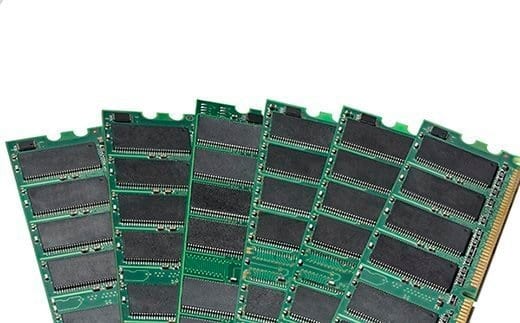
Here are some practical examples to illustrate RAM needs:
Example 1: Small Simulation
- Mesh: 100,000 elements
- Physics: Incompressible flow with heat transfer
- RAM Needed: 4-8 GB
A 16 GB system handles this easily.
Example 2: Medium Simulation
- Mesh: 1 million elements
- Physics: Turbulent flow with species transport
- RAM Needed: 16-32 GB
With only 16 GB, virtual memory might kick in, slowing the process.
Example 3: Large Simulation
- Mesh: 10 million elements
- Physics: Multiphase flow with chemical reactions
- RAM Needed: 128-256 GB
A 64 GB system would struggle, relying heavily on virtual memory or crashing with an “out of memory” error.
Consequences of Insufficient RAM
When RAM falls short, two issues arise:
- Virtual Memory Usage: The system uses the hard drive (HDD/SSD) as swap space, which is far slower than RAM. A simulation that takes 1 hour with enough RAM could drag on for 10+ hours.
- Out of Memory Error: If memory demands exceed available RAM and virtual memory, ANSYS Fluent halts with an error, stopping the simulation and wasting time.
Conclusion: Why Selecting the Right RAM Size is Critical
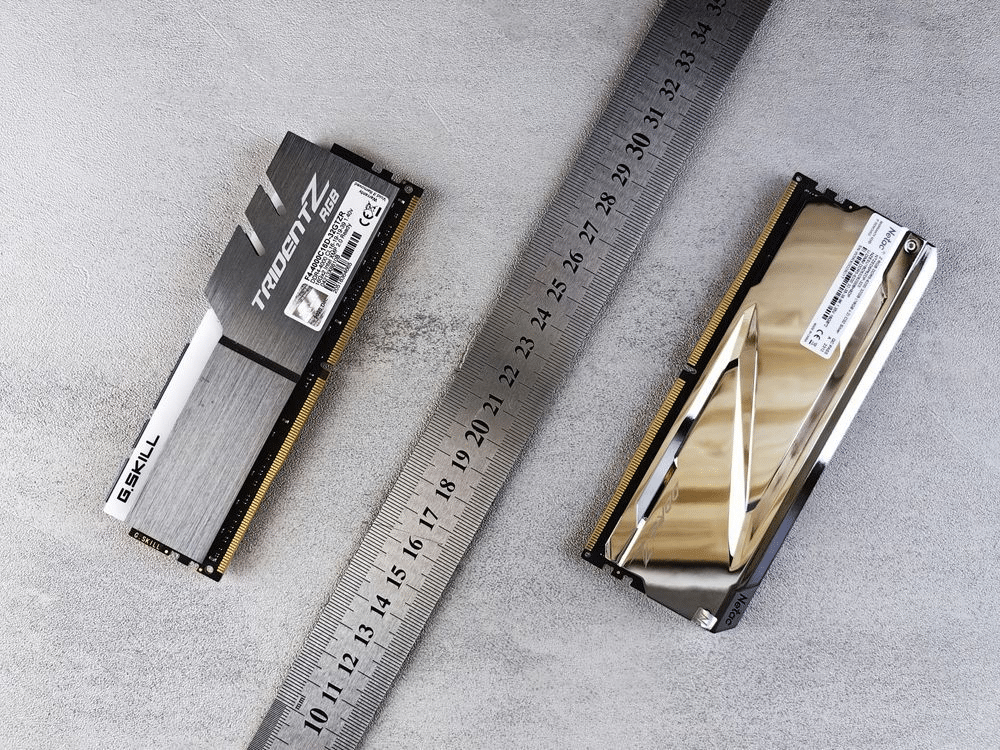
Choosing the appropriate RAM size is vital for CFD simulations in ANSYS Fluent. in this blog post in MR CFD, We learn that The number of elements, types of elements, and number of equations directly drive memory requirements. If these exceed available RAM, your system may lean on the hard drive for additional memory, drastically reducing simulation speed. In extreme cases, excessive RAM demands lead to “out of memory” errors, halting simulations entirely. To avoid these pitfalls, match your RAM capacity—whether 16 GB for small models or 256 GB for large, complex ones—to your project’s needs, and consider factors like DDR type, ECC, and bus speed for optimal performance.
Related Posts

Errors Occurring in Simulations with ANSYS Fluent: A Technical Guide to Convergence & Stability
ANSYS Fluent simulates engineering problems based on the Finite Volume Method (FVM). Consequently, the errors…

How Ansys HPC Servers Accelerate Your Fluent Dynamic Simulations
We have all been there. You hit “Calculate” on a transient simulation, and the estimated…

Ansys HPC Case Study: Accelerating a 120-Million Cell Simulation Using MR CFD’s Ansys HPC Service
In the high-stakes world of aerodynamics, fidelity is everything. But as engineers, we often hit…
 Talk On WhatsApp
 Talk On WeChat

Comments (0)