
Fluent Meshing Training Course: Session 12, Post-Volume Mesh Task
Free
- Post–volume-mesh tasks in Fluent Meshing refine mesh quality, modify mesh geometry, and organize zones to prepare the model for robust CFD simulation.
- Improve Volume Mesh enhances existing cells based on quality metrics like orthogonal quality or skewness, helping prevent convergence problems and numerical instability.
- Transform Volume Mesh translates or rotates selected mesh zones, with options to create copies, enabling efficient construction of repeated or symmetric regions.
- Extrude Volume Mesh extends the domain by extruding layers from selected boundaries with controlled thickness, layer count, and growth, ideal for outlets and far-field regions.
- Manage Zones renames, merges, and reclassifies cell and face zones so that boundary and region definitions become cleaner and easier to use in the solver setup.
To Order Your Project or benefit from a CFD consultation, contact our experts via email (info@mr-cfd.com), online support tab, or WhatsApp at +44 7443 197273.
There are some Free Products to check our service quality.
If you want the training video in another language instead of English, ask it via info@mr-cfd.com after you buy the product.
Description
Fluent Meshing Training Course: Post-Volume Mesh Task
Description
This session covers post–volume-mesh tasks in ANSYS Fluent Meshing, which are used after generating the initial volume mesh. These tasks help improve mesh quality, manipulate existing volume meshes geometrically, and organize mesh zones for easier setup in the solver. Together, they ensure the mesh is both numerically robust and logically structured for CFD analysis.
Improve Volume Mesh
The Improve Volume Mesh task is used to enhance the quality of an already generated volume mesh. It operates by modifying cells that do not meet a specified quality limit, based on metrics such as orthogonal quality or skewness. By enforcing a minimum acceptable quality, this command reduces the risk of convergence issues and improves the accuracy and stability of the simulation.
Transform
The Transform Volume Mesh task in the Fluent Meshing allows the user to apply translational or rotational transformations to existing mesh zones. It can simply move a zone or create multiple translated or rotated copies based on a defined vector, axis, angle, and number of copies. This is useful for building repeated or symmetric mesh regions without remodeling the geometry, saving significant preprocessing time.
Extrude Volume Mesh
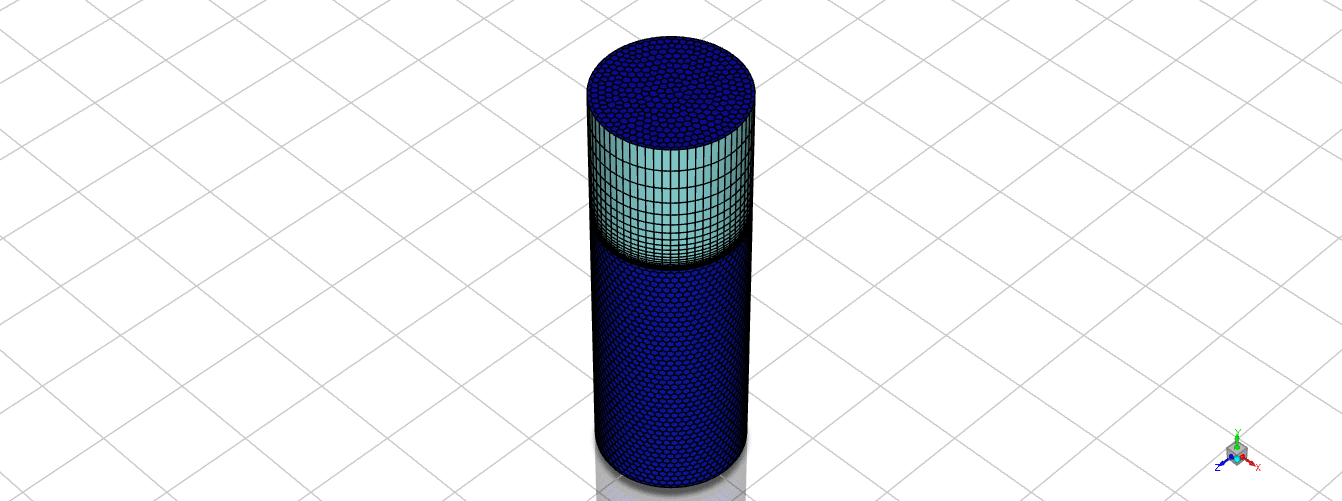
The Extrude Volume Mesh task generates additional volume mesh layers by extruding a selected boundary face in a specified direction. The user can control the extrusion distance, number of layers, and growth rate of the cell size through the extruded region. This command is particularly valuable for creating structured-like layers or extended domains, such as outlets, far-field regions, or buffer zones.
Manage Zones
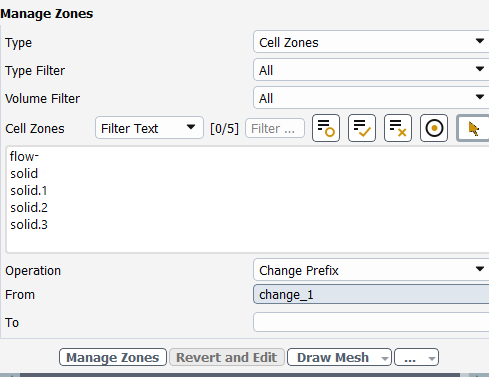
The Manage Zones task in the Fluent Meshing is used to rename, reclassify, or merge existing cell and face zones within the mesh. It supports operations such as changing name prefixes, fully renaming zones, and merging multiple zones into one logical region. This command helps clean up and organize the zone structure, making boundary condition assignment and region management in the solver clearer and less error-prone.
You must be logged in to post a review.
 Talk On WhatsApp
 Talk On WeChat

Reviews
There are no reviews yet.