
SpaceClaim Course, Session 7: Pattern Tool
Free
- Introduction to the Pattern command in SpaceClaim
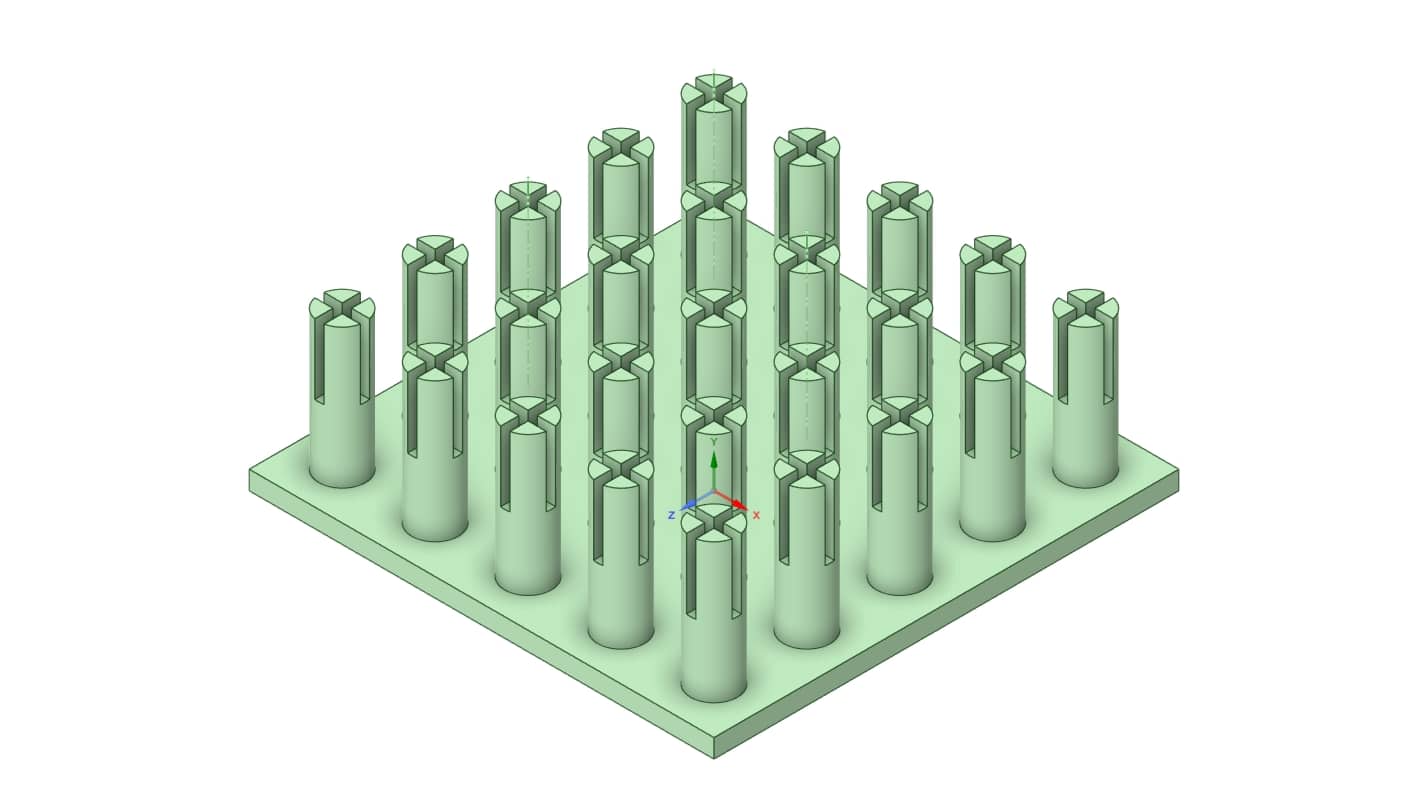
- Working with Linear Pattern and designing a Pin Fin Heat sink
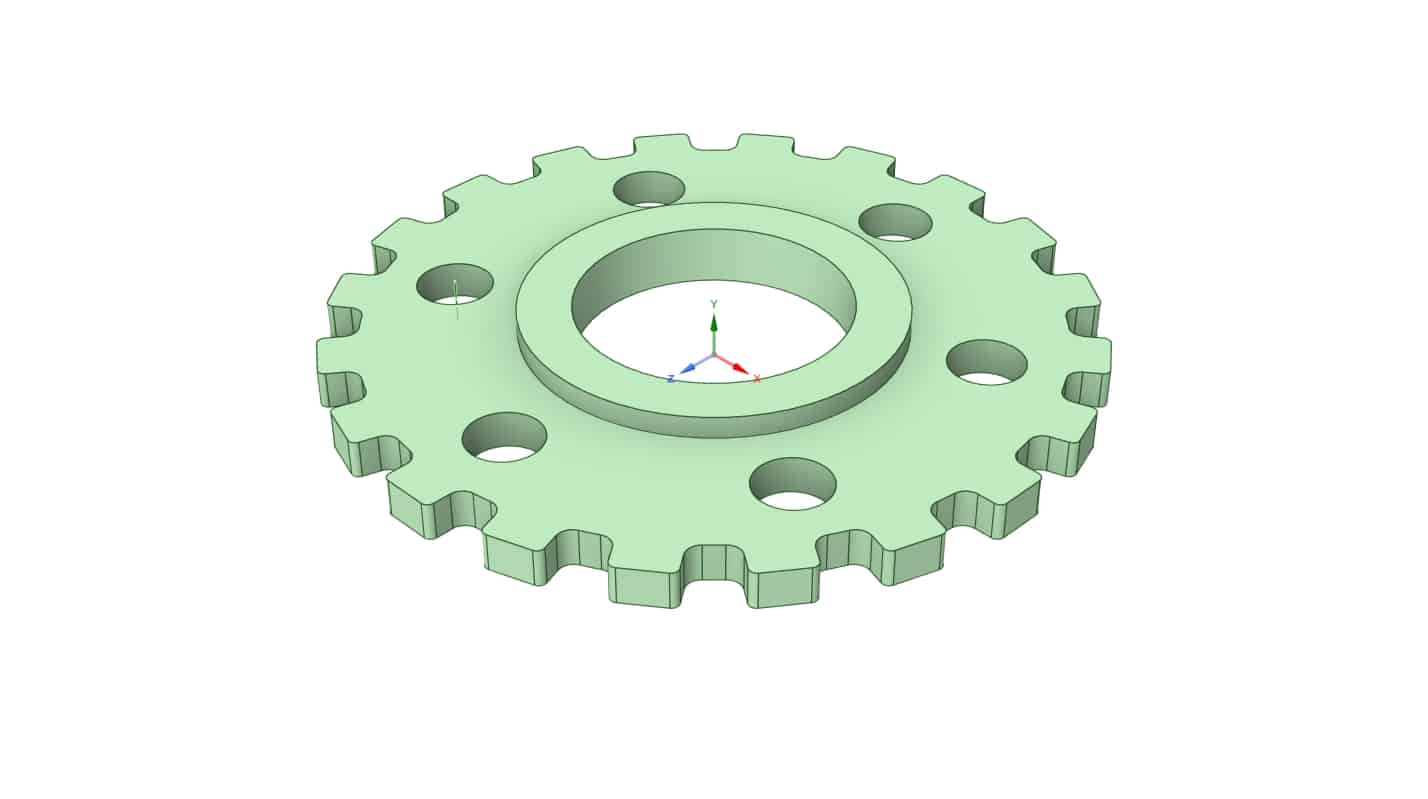
- Working with Circular Pattern by Creating a Gear geometry
To Order Your Project or benefit from a CFD consultation, contact our experts via email (info@mr-cfd.com), online support tab, or WhatsApp at +44 7443 197273.
There are some Free Products to check our service quality.
If you want the training video in another language instead of English, ask it via info@mr-cfd.com after you buy the product.
Description
1. Introduction
In this session of our SpaceClaim training, we will introduce one of the most important and practical tools of the software, known as the Pattern command. This command is available in two types inside the software: Linear Pattern and Circular Pattern. In this lesson, we will create a unique and practical geometry. for each of these options.
As an example for the Linear Pattern, we will design a pin fin heat sink. On the other hand, to better demonstrate the Circular Pattern, we will model a gear.
2. Pattern Tool
The Pattern command in SpaceClaim allows you to replicate a geometry in a regular and organized manner within the design space. With this tool, you can create multiple instances of a single base geometry along different directions (linear or circular), which enables you to quickly build complex and structured parts. This feature is especially useful for saving design time and creating practical geometries.
3. Linear Pattern
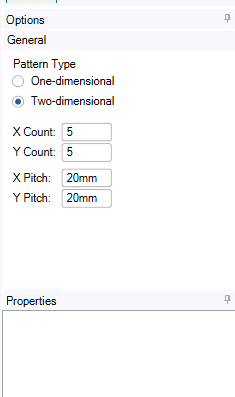
The Linear Pattern command allows us to replicate a geometry along a straight line. One of the great features of this tool in SpaceClaim is that you can apply it in either one dimension or two dimensions.
In each of these dimensions, you can define both the number of pattern instances you want from your geometry, and the distance between the objects.
4. Circular Pattern
The Circular Pattern command in SpaceClaim allows you to copy and replicate a geometry along a circular path. You can specify the number of repetitions, and the software will distribute them evenly around a chosen axis or center. This feature is especially useful for designing geometries such as gears, fan blades, or circular hole patterns.
5. Summary
Based on the various commands we have learned in the previous sessions, such as Pull and Move command, and also in this session the Pattern command, along with gaining advanced familiarity with the 2D sketching environment, from now on we expect to be able to create more advanced, practical, and diverse geometries.
The content presented in this session actually serves as a complement to the topics covered in the previous lessons and completes them. By combining all these skills learned throughout these seven sessions, we also expect to be better prepared to draw even more complex geometries in the upcoming advanced lessons.
You must be logged in to post a review.

 Talk On WhatsApp
 Talk On WeChat

Reviews
There are no reviews yet.