
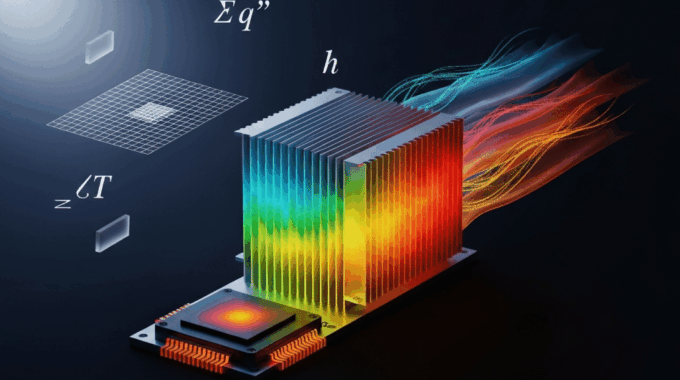
Conjugate Heat Transfer Simulation: Complete CHT Guide
As a CFD educator with over a decade of experience teaching Ansys Fluent at both university and professional levels, I’ve seen countless engineers struggle to bridge the gap between fluid dynamics and solid thermal analysis. The solution, more often than not, lies in mastering conjugate heat transfer simulation. This guide is designed to be your definitive resource, distilling years of practical experience from over 500+ CHT projects into a clear, actionable workflow. We’ll cover everything from fundamental physics to advanced troubleshooting, ensuring you can confidently tackle these complex, multi physics problems.
What Is Conjugate Heat Transfer and Why Does It Matter in Engineering?
At its core, Conjugate Heat Transfer (CHT) is a type of simulation that simultaneously solves the heat transfer in both a fluid and a solid domain. The defining feature of a CHT simulation in Ansys Fluent is that the temperature and heat flux are automatically exchanged at the interface between the fluid and solid parts, creating a fully coupled thermal model.
So, why does this matter? Why can’t you just simulate the fluid or the solid separately? 🤔
In traditional, decoupled analyses, engineers are forced to make assumptions. For a fluid simulation, you might assume a constant wall temperature. For a solid thermal analysis (FEA), you’d have to guess a heat transfer coefficient (HTC) to represent the effect of the fluid. These are often educated guesses at best and can lead to significant errors.
Conjugate heat transfer eliminates this guesswork. It calculates the fluid flow and heat transfer on both sides of the interface, providing the true temperature distribution and heat flux without needing simplified assumptions. This fluid-solid thermal coupling is non-negotiable in many high-performance applications:
- High-Power Electronics Cooling: The junction temperature of a modern CPU is directly dependent on how efficiently heat conducts through the silicon die, the thermal interface material (TIM), and the heatsink base before being carried away by the cooling air. A decoupled analysis simply cannot capture this complex thermal chain accurately.
- Gas Turbine Blades: These components operate in extreme environments with hot gas flowing over the exterior and cooler air flowing through intricate internal passages. The metal temperature, which dictates the blade’s lifespan and structural integrity, is a direct result of this “conjugated” heat transfer.
- Battery Thermal Management: The performance and safety of an electric vehicle’s battery pack depend on maintaining a uniform temperature. CHT is essential for simulating how heat generated within the solid cells is transferred to the liquid coolant flowing through cooling plates, preventing thermal runaway.
In each case, the solid’s temperature affects the fluid’s properties (like density and viscosity), and the fluid’s flow dictates the heat removal from the solid. CHT is the only method that captures this critical two-way interaction.
How Does Conjugate Heat Transfer Differ From Traditional Heat Transfer Analysis?
Understanding when to invest the time in a CHT simulation versus using a simpler method is a critical skill for any simulation engineer. The key difference lies in how the boundary between the fluid and solid is treated. A coupled heat transfer analysis solves for the temperature and heat flux at this interface dynamically, while traditional methods rely on user-defined assumptions.
Let’s break down the differences in a table:
The biggest limitation of a decoupled approach is its reliance on an assumed Heat Transfer Coefficient (HTC). The HTC is not a single value; it varies significantly over a surface due to changes in flow velocity, turbulence, and fluid properties. Guessing an average HTC can completely miss local hotspots, which are often the primary cause of component failure. A conjugate heat transfer CFD simulation calculates this variation naturally.
So, when is CHT essential? Here’s a simple decision tree:
- Is the thermal resistance of the solid significant compared to the fluid? (e.g., thick plastic casing vs. thin metal foil) -> If yes, use CHT.
- Do you know the heat transfer coefficient accurately across all surfaces? -> If no, use CHT.
- Are you trying to predict precise component temperatures or identify hotspots? -> If yes, use CHT.
- Are you performing a quick, early-stage comparison where only the fluid flow pattern matters? -> A simpler method might suffice.
What Are the Fundamental Physics Governing Conjugate Heat Transfer?
A CHT simulation doesn’t use new physics; it simply combines the governing equations for fluid flow and heat conduction into a single, unified solver. ⚙️
For the fluid domain, the solver calculates the Navier-Stokes equations (governing fluid motion) along with the Energy Equation. For the solid domain, it solves the Heat Conduction Equation.
How Do Fluid Domain Energy Equations Work in CHT Simulations?
In the fluid, heat moves through two primary mechanisms:
- Convection: Heat carried by the bulk motion of the fluid. This is the dominant mode in most forced-air or liquid cooling scenarios.
- Conduction (or Diffusion): Heat transfer through molecular vibrations, which is significant in slow-moving or stagnant fluid regions and right at the wall.
The fluid energy equation balances these effects. A simplified form for steady-state flow looks like this:
∇ ⋅ (ρ * v * h) = ∇ ⋅ (k_fluid * ∇T) + S_h
Where:
∇ ⋅ (ρ * v * h)represents the convective term (energy carried by flow).∇ ⋅ (k_fluid * ∇T)is the conductive or diffusive term.S_hincludes heat sources like viscous dissipation (heat from fluid friction).
For turbulent flows, which are common in engineering, the model also accounts for turbulent thermal transport. Turbulence models like SST k-ω or k-ε with enhanced wall treatment are crucial for accurately predicting heat transfer, especially near walls. The fluid’s ability to transfer heat is also characterized by its Prandtl number (Pr), which is the ratio of momentum diffusivity to thermal diffusivity. Air has a Pr of ~0.7, while water is ~7.0.
How Do Solid Domain Heat Conduction Equations Work in CHT Analysis?
Inside the solid, things are simpler. Heat transfer is governed purely by conduction, described by Fourier’s Law. The governing equation is the heat diffusion equation:
∇ ⋅ (k_solid * ∇T) = S_v
Where:
∇ ⋅ (k_solid * ∇T)represents the heat diffusion through the solid.S_vis any volumetric heat generation (e.g., power dissipation in a computer chip).
A key factor here is the material’s thermal conductivity (k_solid). For many materials (like pure metals), it’s isotropic (the same in all directions). However, for composites or printed circuit boards (PCBs), conductivity can be anisotropic (different in-plane vs. through-plane), which is critical to model correctly for accurate heat spreading predictions. In a transient conjugate heat transfer analysis, the solid’s thermal mass (density * specific heat) becomes vital, as it governs how quickly the component heats up or cools down.
What Happens at the Fluid-Solid Interface in CHT Simulations?
This is where the magic happens! 🪄 The “conjugate” part of the simulation is enforced by two fundamental conditions at the boundary shared by the fluid and solid:
- Temperature Continuity: The temperature of the fluid at the wall is equal to the temperature of the solid at the wall.
T_fluid_wall = T_solid_wall - Heat Flux Continuity: The rate of heat leaving the solid must equal the rate of heat entering the fluid.
q_solid_wall = q_fluid_wall, which can be written as-k_solid * (∂T/∂n)_solid = -k_fluid * (∂T/∂n)_fluid
Ansys Fluent doesn’t solve this in one go. It uses an iterative process. It solves the fluid equations, passes the resulting heat flux to the solid, solves the solid equations, passes the resulting wall temperature back to the fluid, and repeats this process until the temperature and heat flux values at the interface stop changing (i.e., they converge). This robust, industry-standard CHT methodology ensures a physically accurate solution.
What Are the Most Common Applications of Conjugate Heat Transfer Simulation?
The applications for CHT are vast, spanning nearly every industry where thermal performance is a design driver. Here at MR CFD, our consulting work has shown us just how critical solid-fluid heat exchange simulation is for modern product development.
How Is CHT Used in Electronics Cooling and Thermal Management?
This is arguably the most common application of CHT today. With power densities in microchips skyrocketing, simplified thermal analysis is no longer sufficient. Electronics cooling simulation requires CHT to accurately model the entire thermal pathway from the silicon junction to the ambient air.
Key components analyzed with CHT include:
- Chip Packages: Predicting the junction temperature (
T_j) by modeling heat flow through the die, heat spreader, and substrate. - Heatsinks: Optimizing fin shape, size, and spacing for maximum heat dissipation. A heatsink thermal analysis is a classic CHT problem.
- Printed Circuit Boards (PCBs): Modeling the complex, anisotropic heat spreading through copper traces and FR-4 substrate.
- Thermal Interface Materials (TIMs): Capturing the temperature drop across the thin layer of thermal grease or pads between a chip and its heatsink.
A mini case study: For a typical CPU cooler, a designer might need to ensure the processor, dissipating 120W, stays below a junction temperature of 95°C. CHT allows them to test different heatsink designs and fan speeds to meet this critical requirement without building costly prototypes.
Why Is Conjugate Heat Transfer Essential for Gas Turbine Blade Cooling?
Gas turbine blades in jet engines and power plants operate at temperatures far exceeding the melting point of their metal alloys. They survive thanks to sophisticated cooling schemes that are designed and validated using CHT.
CHT is essential for capturing:
- Internal Cooling Passages: Simulating the cool air forced through complex, serpentine channels inside the blade.
- Film Cooling: Modeling the thin layer of cool air injected through tiny holes onto the blade’s external surface to insulate it from the hot gas stream.
- Thermal Barrier Coatings (TBCs): Analyzing the temperature drop across the thin ceramic coating applied to the blade surface.
The extreme temperature gradients create immense thermal stresses. An accurate temperature prediction from a CHT simulation is a critical input for subsequent structural (FEA) analysis to predict blade life and prevent failure. This is a prime example of a peer-reviewed conjugate heat transfer approach being standard practice in aerospace.
How Does CHT Simulation Improve Heat Exchanger Design?
While simplified methods like Effectiveness-NTU are useful for initial sizing, conjugate heat transfer CFD provides a far more detailed picture of a heat exchanger’s performance.
CHT is particularly valuable for:
- Analyzing Tube Walls and Fins: Accurately calculating the thermal resistance through the solid materials, which is often neglected in simpler models.
- Investigating Fouling: Modeling the effect of deposit layers on heat transfer surfaces, which degrade performance over time.
- Complex Geometries: For plate-fin, shell-and-tube with baffles, or microchannel heat exchangers, the flow is highly complex, and only CHT can accurately predict local heat transfer performance.
CHT can reveal non-uniform flow distribution or unexpected hotspots that simpler methods would miss, leading to more efficient and reliable designs.
What Role Does CHT Play in Battery Thermal Management Systems?
For electric vehicles (EVs) and energy storage systems, battery safety and performance are paramount. Lithium-ion batteries generate significant heat during operation, and excessive temperatures can lead to degradation and, in the worst case, thermal runaway.
CHT simulation is critical for:
- Cooling System Design: Simulating the effectiveness of air, liquid, or refrigerant cooling systems in removing heat from the battery pack.
- Temperature Uniformity: Ensuring all cells in a module operate within a narrow temperature range for optimal performance and lifespan.
- Thermal Runaway Propagation: Analyzing how heat from a failing cell could propagate to adjacent cells, a crucial safety consideration.
CHT allows engineers to design robust battery thermal management systems that meet strict safety standards and performance targets.
How Do You Set Up a Conjugate Heat Transfer Simulation in Ansys Fluent?
Now, let’s get practical. Setting up a CHT simulation follows a structured workflow. Getting the details right at each stage is key to achieving an accurate and converged solution. This is the certified Ansys Fluent workflow we teach in our ANSYS fluent courses.
What Geometry Considerations Are Critical for CHT Simulations?
Your simulation starts with a good CAD model. The main principle is to include all thermally significant solid regions.
- Inclusion: You must model the fluid domain and all solid parts that form the primary heat conduction path. For a heatsink, this means the chip, the heatsink base, and the fins.
- Simplification: You can often remove purely cosmetic features like fillets or logos. Small, structurally important but thermally insignificant parts like screws or clamps can sometimes be omitted, but be cautious. If in doubt, include them.
- Interface Layers: Don’t forget thin but important layers like thermal interface materials (TIMs) or thermal barrier coatings (TBCs). These must be modeled as distinct solid bodies.
- Fluid Domain: Use tools like Ansys SpaceClaim to extract the fluid volume from your solid assembly. Ensure your fluid domain is extended far enough upstream (~5-10 characteristic lengths) and downstream (~10-20 lengths) from the area of interest to allow the flow to develop properly.
How Should You Approach Meshing for Conjugate Heat Transfer Analysis?
Meshing is arguably the most critical step. A poor mesh will always lead to a poor result. 🎯
- Interface Conformality: The best practice for CHT is to use a conformal mesh, where the nodes on the fluid side of an interface perfectly match the nodes on the solid side. This ensures the most accurate heat flux transfer. Ansys Workbench Meshing handles this automatically when parts share topology.
- Boundary Layers (Inflation): To accurately capture the steep temperature gradients in the fluid near the wall, you MUST use inflation layers. The goal is to get the first cell height small enough to resolve the thermal boundary layer. A target y+ value of ~1 is ideal for models like SST k-ω. A minimum of 10-15 inflation layers is a good starting point.
- Solid Domain Mesh: The mesh in the solid should be fine enough to capture the temperature gradients there. Add body sizing controls to refine the mesh in areas where you expect high heat flux or steep gradients (e.g., near a heat source).
- Mesh Quality: Pay close attention to mesh quality metrics, especially skewness (keep below 0.85) and orthogonal quality (keep above 0.15). Poor quality elements, especially near the interface, are a primary cause of convergence failure.
What Boundary Conditions Are Required for CHT Simulations?
Setting up boundary conditions for CHT is straightforward, but there’s one crucial point to remember.
- Fluid Boundaries: You’ll set standard CFD conditions like Velocity Inlet and Pressure Outlet.
- Thermal Boundaries: On external surfaces, you’ll specify thermal conditions. This could be a fixed Temperature, a Heat Flux, or a mixed condition like Convection (where you provide an external HTC and ambient temperature) or Radiation.
- Heat Sources: For components like a chip, you’ll define a volumetric heat generation (in W/m³) within the solid cell zone.
- The Interface: This is the key difference! For the walls between your fluid and solid domains, you do NOT specify any thermal boundary condition. Fluent automatically recognizes this as a coupled interface (a “shadow wall” is created) and will solve for the heat transfer across it.
Which Material Properties Are Essential for Accurate CHT Results?
“Garbage in, garbage out” applies perfectly here. Your results are only as good as your material data.
- Fluids:
- Density (
ρ) - Viscosity (
μ) - Thermal Conductivity (
k) - Specific Heat (
Cp)
- Density (
- Solids:
- Density (
ρ) - Thermal Conductivity (
k) - Specific Heat (
Cp) – especially important for transient conjugate heat transfer.
- Density (
For many problems, temperature-dependent properties are necessary. If the temperature in your simulation is expected to vary by more than 50-100°C, using constant properties can introduce significant errors. Always check reliable sources (e.g., material databases) for your property data. For assemblies of multiple solid parts, modeling the thermal contact resistance at the interfaces may also be critical.
What Solver Settings Optimize CHT Simulation Convergence?
With everything set up, the final step is to configure the solver to run efficiently and stably.
- Solver Type: The Coupled pressure-velocity coupling scheme is generally robust and recommended for CHT simulations.
- Discretization: Use at least Second Order schemes for all equations to minimize numerical error.
- Under-Relaxation Factors (URFs): CHT problems can sometimes be “stiff” due to the different time scales of heat transfer in the fluid vs. the solid. If you see residuals oscillating, you may need to slightly decrease the URF for the Energy equation (e.g., from 1 to 0.9 or 0.8).
- Initialization: Hybrid Initialization is usually a good starting point. It solves a potential flow problem to provide a reasonable initial guess for the flow field.
- Convergence Monitoring: Don’t rely solely on residuals! This is a common beginner mistake. In addition to watching residuals (aim for < 1e-3 for flow equations and < 1e-6 for Energy), you must create monitor points for key physical quantities. Monitor the maximum temperature on your heat source, the average outlet temperature, or the total heat flux at an interface. The solution is converged only when these values become stable and no longer change with further iterations.
What Is the Complete Workflow for a Heatsink CHT Simulation Example?
Let’s walk through a practical thermal simulation case study: analyzing a standard aluminum heatsink designed to cool a computer chip. This is a perfect example of a conjugate heat transfer tutorial.
How Do You Define the Problem and Objectives for a Heatsink CHT Study?
First, we define our goals. 🎯
- Scenario: A 20mm x 20mm silicon chip is mounted to the base of an aluminum heatsink. The chip dissipates 50 Watts of power. Cooling air flows over the heatsink at 2 m/s with an ambient temperature of 25°C.
- Objectives:
- Predict the maximum temperature of the silicon chip (the junction temperature).
- Calculate the overall thermal resistance of the heatsink (
R_thin °C/W). - Visualize the temperature distribution and airflow patterns.
- Success Criterion: The maximum chip temperature must remain below the allowable limit of 85°C.
What Geometry and Mesh Strategy Works for Heatsink CHT Analysis?
- Geometry: The computational domain will consist of four bodies: the solid silicon chip, the solid aluminum heatsink, and a surrounding fluid domain (air). We’ll model a symmetry plane to cut the computational cost in half. The fluid domain extends significantly upstream and downstream of the heatsink.
- Mesh:
- A conformal mesh is created across all interfaces.
- Inflation Layers: 15 layers are applied to all fluid-solid interfaces with a first-layer thickness aimed at a y+ ≈ 1.
- Sizing: A finer mesh is used on the heatsink fins and the chip. A body of influence is added around the heatsink to keep the mesh finer in its wake region.
- Typical Element Count: For this type of problem, a good quality mesh might range from 2 to 5 million elements.
How Do You Configure Materials and Boundary Conditions for the Heatsink Case?
- Materials:
- Fluid: Air (with temperature-dependent properties for density, conductivity, viscosity, etc.).
- Solids: Aluminum (for the heatsink) and Silicon (for the chip), both with constant properties as their temperature range is likely moderate.
- Boundary Conditions:
- Inlet: Velocity inlet, 2 m/s, 25°C (298.15 K).
- Outlet: Pressure outlet, 0 gauge pressure.
- Symmetry: Symmetry plane on the cut face.
- External Walls: The outer walls of the fluid domain are set as openings or symmetry planes to simulate an unconfined environment.
- Heat Source: A volumetric heat source is applied to the silicon chip’s cell zone. Calculation: Power / Volume = 50 W / (0.02m * 0.02m * 0.001m) = 1.25e8 W/m³.
- Interfaces: All interfaces between air/heatsink and heatsink/chip are left as coupled walls with no thermal condition specified.
What Solution Strategy and Monitoring Ensures Reliable Heatsink CHT Results?
- Solver: Coupled solver, SST k-ω turbulence model.
- Initialization: Hybrid initialization.
- Monitoring:
- Create a report definition to monitor the maximum temperature on the chip body.
- Create another to monitor the total heat transfer rate at the outlet.
- Set residuals for Energy to 1e-6.
- Convergence: Run the simulation until all residuals are flat and below their targets, AND the monitored chip temperature is stable to within 0.1°C over the last 100-200 iterations. This usually takes 300-600 iterations.
How Do You Post-Process and Interpret Heatsink CHT Simulation Results?
Once converged, it’s time to extract the insights. 💡
- Visualization:
- Create temperature contour plots on the solid surfaces to identify the hotspot (maximum temperature).
- Generate streamlines colored by velocity or temperature to understand how the air flows through the fins and where recirculation zones might be trapping hot air.
- Use heat flux vector plots to visualize the path heat takes from the chip to the air.
- Quantitative Analysis:
- The maximum temperature on the chip is our primary result. Let’s say it’s 75°C. This is below our 85°C limit, so the design is successful. ✅
- Calculate Thermal Resistance:
R_th = (T_max - T_ambient) / Power = (75°C - 25°C) / 50 W = 1.0 °C/W. This value can be compared to manufacturer data sheets or empirical correlations for validation.
- Validation: A key step is to check the global heat balance. The net heat rate across all boundaries should be very close to zero (ideally <1% of the source term). In our case, the heat leaving the outlets should be approximately 50 W. This is a critical check validated against experimental thermal imaging and an integral part of our process at MR CFD.
What Are the Most Common Challenges in Conjugate Heat Transfer Simulations?
Even with a perfect setup, CHT simulations can be tricky. Here are some common problems I’ve seen countless times and how to fix them.
Why Won’t My CHT Simulation Converge and How Do I Fix It?
This is the number one issue. Convergence problems in CHT usually stem from a few key areas:
- Poor Mesh Quality: High skewness (>0.9) or large jumps in cell size, especially near the coupled interface, can cause the solver to diverge.
- Solution: Go back and improve your mesh. Use mesh quality reports to find and fix the bad cells.
- Inappropriate Solver Settings: Using first-order schemes can sometimes help a solution start, but for an accurate result, you need second-order. If the solution diverges immediately, try starting with first-order for 50-100 iterations, then switching to second-order. You can also try reducing the Under-Relaxation Factors (URFs) for pressure, momentum, and especially energy.
- Bad Initialization: A poor initial guess can send the solution in the wrong direction.
- Solution: Ensure you’re using Hybrid Initialization. For very complex cases, you can solve the flow field first (turning off the energy equation), then enable energy and continue the calculation.
- Physical Instabilities: Your flow might be naturally unsteady (e.g., vortex shedding). A steady-state solver can’t resolve this and residuals will never converge.
- Solution: Use a pseudo-transient approach or switch to a full transient simulation.
How Do You Handle Large Temperature Gradients in CHT Analysis?
Steep temperature gradients, like those inside a thermal barrier coating or in the fluid sublayer right at the wall, require a very fine mesh to be resolved accurately.
- Numerical Diffusion: A coarse mesh in these regions will “smear” the temperature profile, leading to inaccurate predictions of peak temperatures and heat flux.
- Solution:
- Local Mesh Refinement: Use body or face sizing to selectively refine the mesh only where the gradients are largest. This is more efficient than refining the entire model.
- Higher-Order Schemes: Always use second-order or higher discretization schemes to minimize this error.
- Adaptive Meshing: Ansys Fluent has powerful tools to automatically refine the mesh based on solution gradients. This is an excellent way to ensure you have sufficient resolution without manually guessing.
What Causes Heat Balance Errors in Conjugate Heat Transfer Simulations?
At the end of your simulation, you must check that energy is conserved. You do this in Fluent via Reports -> Fluxes -> Net Heat Transfer Rate. This value should be close to zero. If it’s more than 1-2% of your total heat input, something is wrong.
- Insufficient Convergence: The most common cause. Your residuals might look good, but the overall solution isn’t fully settled.
- Solution: Simply run the simulation for more iterations until the heat balance closes.
- Incorrect Boundary Conditions: Double-check that all your boundary conditions are physically correct. Did you accidentally set a wall to be adiabatic that should be losing heat?
- Radiation Model Issues: If you’re using a radiation model like S2S, ensure your view factors are calculated correctly and all surfaces have appropriate emissivity values.
How Do You Model Thermal Contact Resistance Between Solid Parts?
In the real world, no two surfaces are perfectly smooth. When you press two solid parts together (like a chip and a heatsink), microscopic air gaps exist at the interface. These gaps add a significant resistance to heat flow.
- When is it important? For high heat flux applications, especially those involving Thermal Interface Materials (TIMs), bolted joints, or press-fits, thermal interface modeling is critical. Ignoring it can lead to an under-prediction of the component’s temperature.
- How to model it in Fluent? You don’t need to mesh the tiny air gaps. Instead, you model the interface as a
Wallboundary with a specified Thermal Resistance (R_thin m²K/W). This value is typically obtained from material datasheets or experiments. This can be done using the “Coupled Wall with Shell Conduction” option or by creating a thin solid body representing the interface material.
How Do You Validate and Verify Conjugate Heat Transfer Simulation Results?
A colorful plot means nothing if it’s not correct. A rigorous Verification and Validation (V&V) process is essential to have confidence in your CHT results. This is a cornerstone of our best practices from 500+ CHT projects.
What Verification Steps Ensure Numerical Accuracy in CHT Simulations?
Verification asks the question: “Am I solving the equations correctly?” It’s about checking for numerical errors introduced by your simulation setup.
The most important step is the mesh independence study.
- Run your simulation on your initial mesh and record a key result (e.g., max chip temperature).
- Refine the mesh significantly (e.g., reduce element size by a factor of 1.5, which nearly doubles the cell count in 2D).
- Re-run the exact same simulation.
- Compare the results. If the key value changes by less than a small threshold (e.g., 1-2%), your original mesh is considered sufficient. If it changes significantly, you need to refine it again.
You should also verify that your residuals are sufficiently low and that the global heat balance is satisfied. For a transient conjugate heat transfer simulation, you must also perform a time-step independence study.
How Do You Validate CHT Simulations Against Experimental Data?
Validation asks the question: “Am I solving the correct equations?” It’s about comparing your simulation results to real-world physical data.
- Experimental Data: This can come from thermocouples placed at specific locations, infrared (IR) thermography providing a full temperature map of a surface, or heat flux sensors.
- Comparison: When comparing, it’s crucial to account for uncertainties in both the simulation (material properties, boundary conditions) and the experiment (sensor accuracy, placement). A good validation shows that the simulation results fall within the uncertainty bands of the experimental data.
- Benchmark Cases: For standard problems, you can validate your methodology against well-documented benchmark cases, such as those from the ASME heat transfer benchmark series or ERCOFTAC (European Research Community on Flow, Turbulence and Combustion). This confirms your setup and solver settings are correct before you tackle your unique problem.
What Advanced Techniques Enhance Conjugate Heat Transfer Simulations?
Once you’ve mastered the basics, several advanced techniques can add more physics and fidelity to your CHT models.
How Do You Include Radiation in Conjugate Heat Transfer Analysis?
Radiation becomes a significant mode of heat transfer at high temperatures (generally >300°C) or in situations with low convection, such as in a vacuum or an enclosed space.
- When to Use It: Electronics in a sealed enclosure, furnace or combustion chamber analysis, or space applications.
- Ansys Fluent Models:
- Surface-to-Surface (S2S): Best for non-participating media (like air) where surfaces radiate to each other. It’s computationally expensive upfront to calculate view factors but fast during iteration.
- Discrete Ordinates (DO): More general-purpose. It can handle participating media (like flue gas or glass) that absorb and emit radiation. It’s more computationally intensive per iteration.
- Setup: You’ll need to specify the emissivity of all radiating surfaces.
What Is the Approach for Transient Conjugate Heat Transfer Simulations?
A transient conjugate heat transfer analysis is used when you need to understand how a system behaves over time.
- Applications: Analyzing thermal cycling and fatigue, simulating startup or shutdown procedures, or modeling pulsed power applications.
- Time-Step Selection: The key challenge is choosing an appropriate time step (
Δt). The time step needs to be small enough to capture the physical changes of interest. A good starting point is to consider the thermal time constants of the different materials. Heat diffuses much slower in solids than in fluids, so the solid’s thermal properties often dictate the required time step size. - Solver: Use the transient solver settings and run the simulation for a specific duration, saving data at regular intervals.
How Do You Perform CHT Simulations With Moving Parts or Deforming Geometry?
For problems like a spinning motor, a reciprocating piston, or fluid-structure interaction (FSI) where thermal effects are important, you need to combine CHT with dynamic meshing techniques.
- Methodology: Ansys Fluent’s dynamic mesh tools (sliding mesh, layering, remeshing) can be used to handle the motion of boundaries while the CHT solver calculates heat transfer.
- Challenges: These simulations are computationally very expensive and can have stability challenges due to mesh deformation. They represent some of the most complex multiphysics simulations and are typically covered in advanced ANSYS Fluent training courses.
What Best Practices Ensure Successful Conjugate Heat Transfer Projects?
Synthesizing everything, here is an actionable checklist to guide your CHT projects from start to finish. 🚀
What Pre-Simulation Planning Steps Are Critical for CHT Success?
Before you even open the software, a solid plan is essential.
✅ Define Clear Objectives: What specific questions are you trying to answer? (e.g., “Will the chip temperature exceed 85°C?”).
✅ Identify Dominant Physics: Is convection forced or natural? Is radiation important? Is the flow turbulent?
✅ Gather Material Data: Collect all necessary thermal properties, including temperature-dependent data if needed.
✅ Estimate Expected Results: Do a simple back-of-the-envelope calculation to know if your final results are in the right ballpark.
✅ Plan for V&V: How will you verify and validate your model? Identify what experimental data is available or what benchmark you can use.
How Do You Document and Report CHT Simulation Results Effectively?
A simulation is only useful if its results can be clearly communicated to inform design decisions.
✅ Document Everything: Record all assumptions, material properties, boundary conditions, mesh details, and solver settings. This makes your work repeatable and defensible.
✅ Visualize for Impact: Use clear and well-labeled contour plots, vector plots, and streamlines. Always include a scale bar and units.
✅ Provide Key Metrics: Don’t just show pictures. Report the key quantitative results (max/min temperatures, average heat flux, thermal resistance, pressure drop).
✅ State Conclusions: End your report with clear conclusions that directly answer the objectives you defined in the planning stage. Provide actionable design recommendations based on your findings.
What Training and Resources Help You Master Conjugate Heat Transfer Simulation?
Mastering conjugate heat transfer simulation is a journey that combines understanding the physics, learning the software, and gaining practical experience. While guides like this are a great start, a structured learning path can accelerate your skills dramatically.
Here at MR CFD, we have developed a comprehensive suite of training programs designed to take you from a beginner to an expert in thermal analysis with Ansys Fluent. Our courses are built on a foundation of real-world industrial projects and taught by seasoned practitioners.
Ready to take the next step? Download our free CHT Simulation Checklist to keep these best practices handy, and explore our Heat Transfer course catalog to find the perfect program for your needs.
What MR CFD Courses Cover Conjugate Heat Transfer Simulation?
We offer several hands-on courses specifically designed to build your CHT expertise:
- Ansys Fluent Heat Transfer Training: This foundational course covers all modes of heat transfer, from conduction and convection to radiation, and provides your first hands-on experience with a complete CHT workflow.
- Advanced Conjugate Heat Transfer Techniques: Dive deeper into complex topics like transient CHT, thermal contact resistance, and modeling with radiation. This course is project-based, using real industrial case studies.
- Electronics Cooling Simulation Masterclass: A specialized course focusing entirely on the challenges of thermal management in electronics, from chip-level to system-level analysis.
All our courses include expert instructor support and access to MR CFD’s HPC resources for completing your course projects.
How Can MR CFD’s Consulting Services Support Your CHT Projects?
Need expert help on a critical project right now? Our team of CFD specialists can act as an extension of your engineering team. Our CFD Consulting services cover:
- Problem Scoping and Simulation Strategy
- Complete CHT Simulation Setup, Execution, and Post-Processing
- Model Validation and Optimization
- Detailed Reporting and Design Recommendations
We leverage our extensive experience and powerful HPC infrastructure to deliver accurate results quickly, helping you solve your toughest thermal challenges. Contact us today for a free consultation.
Frequently Asked Questions About Conjugate Heat Transfer Simulation
What is the difference between CHT and standard CFD thermal analysis?
CHT solves heat transfer in both fluid and solid domains simultaneously with coupled interfaces. In contrast, standard CFD thermal analysis typically solves only the fluid domain and uses simplified assumptions for the wall boundary, like a fixed temperature or a user-defined heat transfer coefficient, without solving for the temperature inside the solid.
When should I use conjugate heat transfer simulation instead of simplified methods?
You should use CHT when the solid’s thermal resistance is significant, when you don’t know the wall temperatures or heat transfer coefficients beforehand, or when you need high-accuracy predictions of solid temperatures for stress analysis or failure prediction. It’s essential for safety-critical applications or high-performance thermal management.
How long does a typical conjugate heat transfer simulation take to run?
Runtime varies widely, from a few hours to several days, depending on mesh size, geometric complexity, and the physics involved. A simple heatsink might take 1-4 hours, a complex electronics assembly could take 8-24 hours, and a full gas turbine blade analysis might take multiple days on an HPC cluster.
What mesh size is required for accurate CHT simulations?
There’s no single answer, as it depends on the geometry and thermal gradients. However, typical industrial CHT simulations range from 500,000 to over 10 million elements. The most important thing is to perform a mesh independence study to ensure your results don’t change with further refinement, not just hitting an arbitrary cell count.
Can I perform CHT simulation with turbulent flow in Ansys Fluent?
Yes, absolutely. Turbulent CHT is the standard for most engineering applications. Using an appropriate turbulence model, like SST k-ω or Realizable k-ε with enhanced wall treatment, is critical for accurately predicting the convective heat transfer that drives the simulation.
How do I model a heat source like a CPU chip in CHT simulation?
The most physically accurate method is to apply a volumetric heat generation (in W/m³) to the solid cell zone representing the chip. You can calculate this value by dividing the total power of the chip (in Watts) by the volume of the chip body (in m³).
What material properties are most critical for CHT accuracy?
For solids, thermal conductivity is the most critical property as it governs heat spreading. For transient simulations, specific heat and density are also vital. For fluids, viscosity, thermal conductivity, specific heat, and density all play a crucial role in determining the convective heat transfer.
How do I know if my CHT simulation has converged properly?
Proper convergence requires three checks: (1) Residuals must be low and flat (Energy < 1e-6), (2) key physical quantities like maximum temperature or heat flux at critical locations must be stable and unchanging over many iterations, and (3) the global heat balance should be close to zero (<1-2% of total heat input).
Can conjugate heat transfer simulation include radiation effects?
Yes, Ansys Fluent’s radiation models (like S2S and DO) are fully compatible with CHT simulations. Including radiation is essential for accuracy in high-temperature applications, simulations in a vacuum, or scenarios where natural convection is the dominant cooling mechanism.
What industries benefit most from conjugate heat transfer simulation?
Key industries include electronics (thermal management), aerospace (turbine cooling, avionics), automotive (engine cooling, battery thermal management), energy (heat exchangers, power plants), and manufacturing (casting, welding, heat treatment). Essentially, any industry where the thermal coupling between a solid and a fluid is critical to performance and reliability benefits from CHT.
Related Posts

Errors Occurring in Simulations with ANSYS Fluent: A Technical Guide to Convergence & Stability
ANSYS Fluent simulates engineering problems based on the Finite Volume Method (FVM). Consequently, the errors…

How Ansys HPC Servers Accelerate Your Fluent Dynamic Simulations
We have all been there. You hit “Calculate” on a transient simulation, and the estimated…

Ansys HPC Case Study: Accelerating a 120-Million Cell Simulation Using MR CFD’s Ansys HPC Service
In the high-stakes world of aerodynamics, fidelity is everything. But as engineers, we often hit…
 Talk On WhatsApp
 Talk On WeChat

Comments (0)